The best office headsets under 100 range from call-focused boom-mic models to flexible wireless headphones with built-in microphones. Choose based on how you connect, how often you take calls, and whether long battery life or a wired option matters most.
Quick Top Products
JLab Go Work Pop

- Connect to a computer and phone simultaneously with Bluetooth multipoint.
- Flip the boom microphone up to mute.
- Get up to 50+ hours of wireless playtime.
Best For: A workday split between PC calls and mobile listening, with a lightweight on-ear fit.

JLab JBuds Work Wireless Headset

- Use Bluetooth or the included cable for wired listening.
- Pair with two devices using Bluetooth multipoint.
- The boom mic has a red LED mute indicator.
Best For: People who want an over-ear work headset with wireless multipoint and a cable option.
JLab Go Work Wireless Headset

- Connect to two devices simultaneously with Bluetooth multipoint.
- Use the included cable for wired connection.
- Get 45+ hours of playtime and Cloud Foam earcups.
Best For: Workers who want an on-ear headset that can switch between Bluetooth and a cable connection.
SteelSeries Arctis Nova 3X Wireless
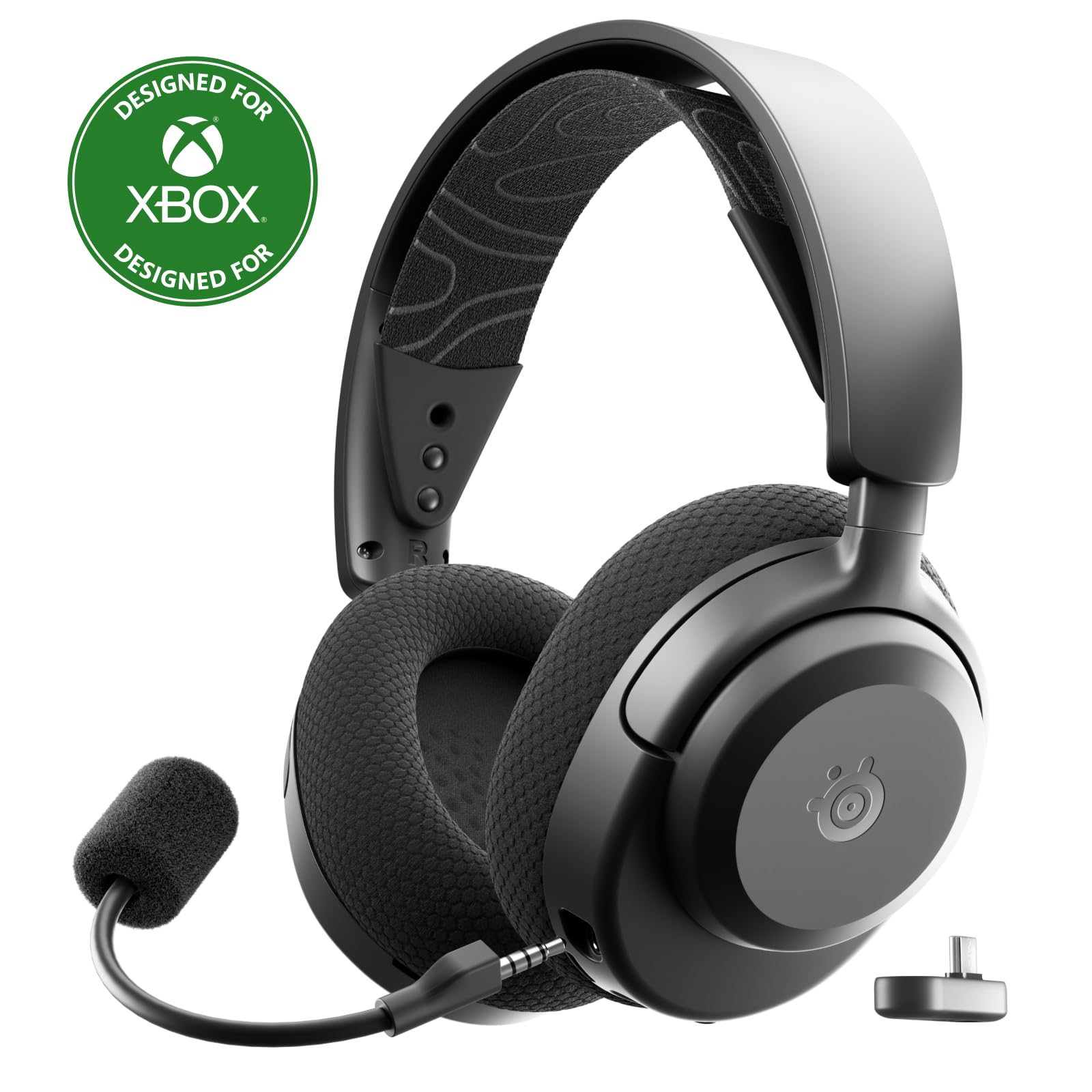
- Use 2.4GHz or Bluetooth wireless connections.
- A USB-C dongle supports multiple platforms.
- The battery lasts up to 40 hours per full charge.
Best For: People who want one wireless headset for office calls, gaming, and several device types.
JLab Studio Wireless On-Ear Headphones

- Bluetooth playback runs for 30+ hours.
- Choose from three EQ sound modes.
- The headphones fold for travel or commutes.
Best For: People who want an affordable wireless on-ear pair for calls, commutes, and general listening.
JLab Rewind 2 Wireless On-Ear Headphones
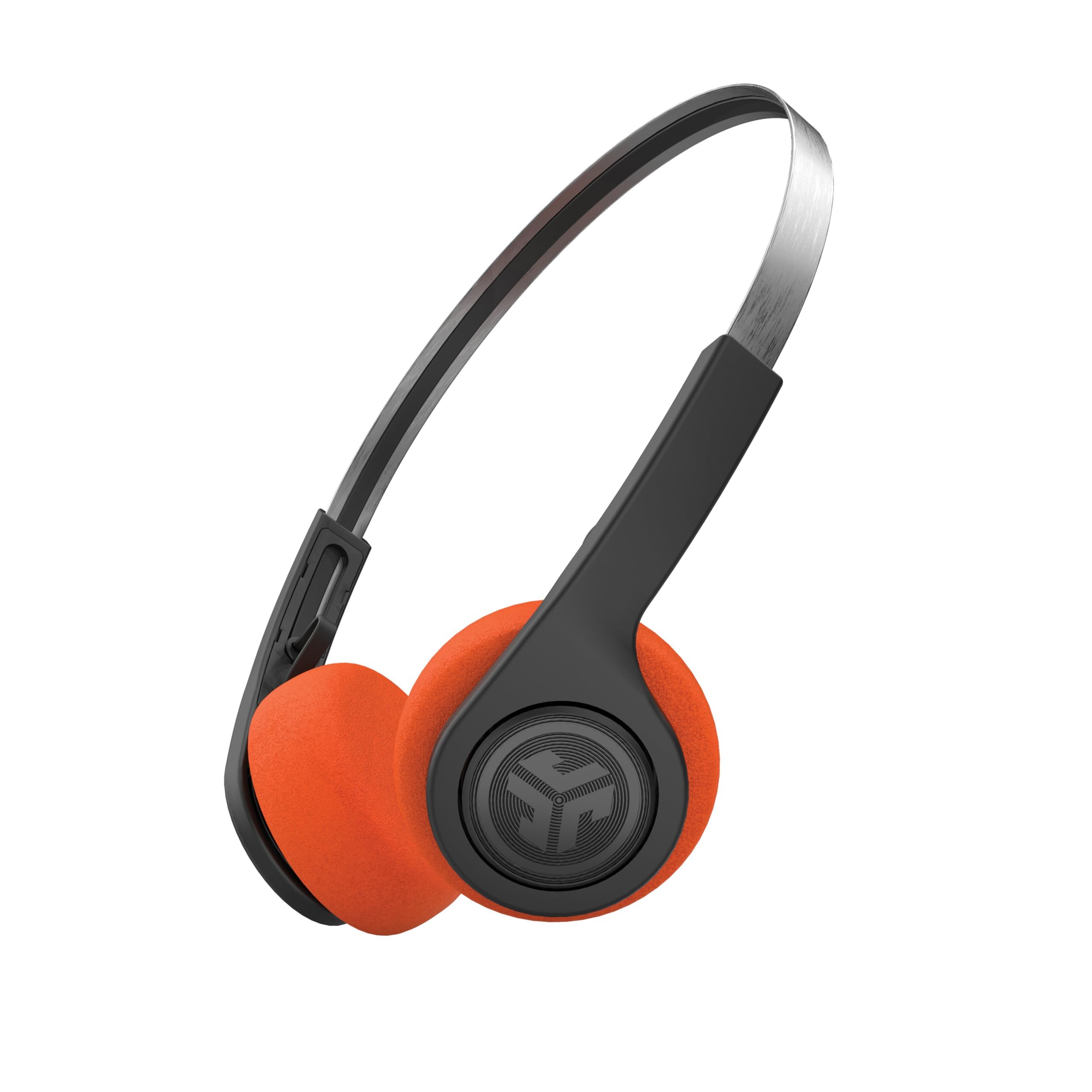
- Bluetooth multipoint connects to two devices at once.
- Customize EQ and controls through the JLab app.
- USB-C charging supports 20+ hours of playtime.
Best For: Listeners who want multipoint connectivity, customizable audio, and a lightweight retro design.
JLab Go Lux ANC Wireless Headphones
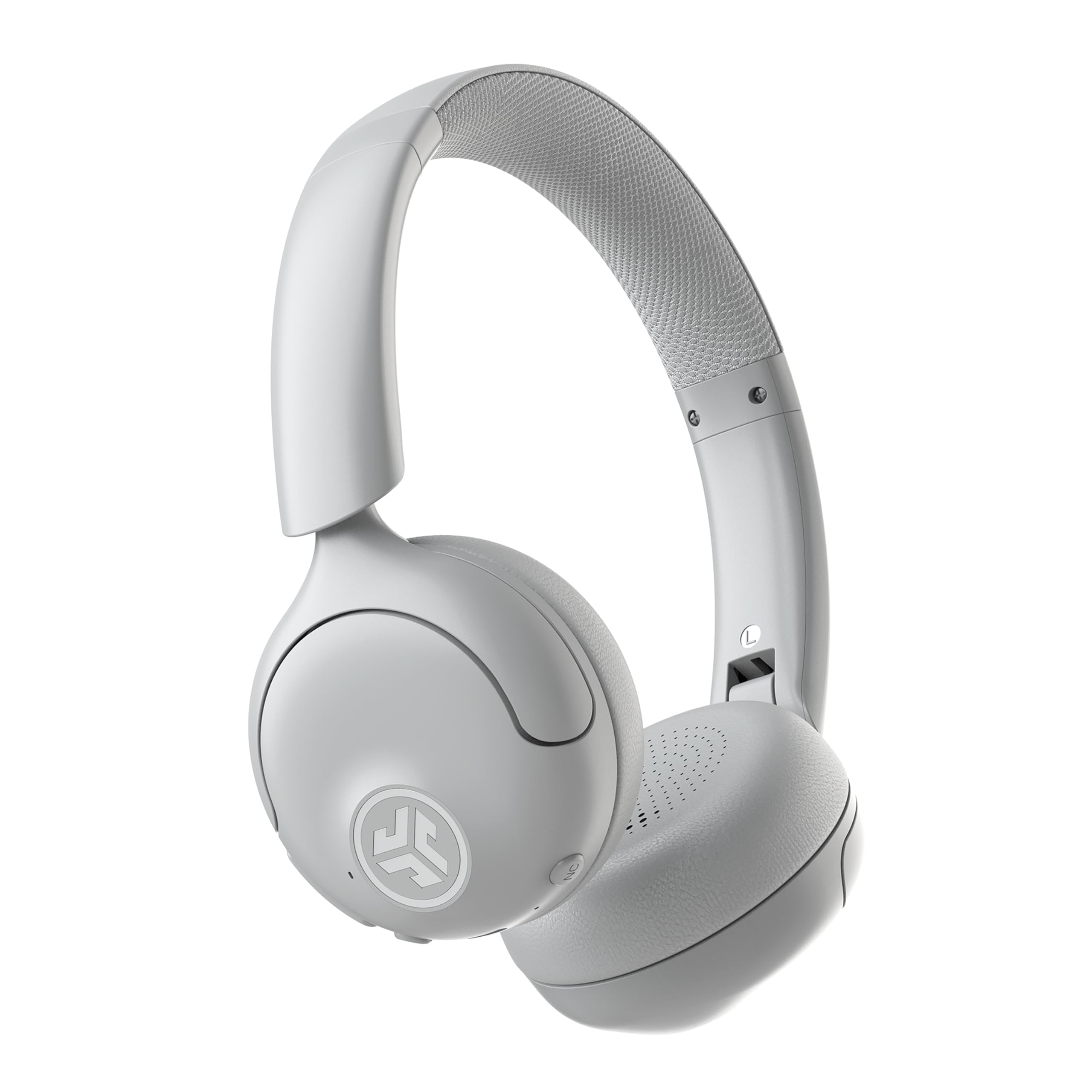
- Hybrid ANC reduces ambient noise by up to 30dB.
- Bluetooth multipoint connects two devices simultaneously.
- The app adjusts ANC and Be Aware levels.
Best For: People who want on-ear wireless listening with adjustable noise reduction and multipoint pairing.
JLab JBuddies Studio Wireless
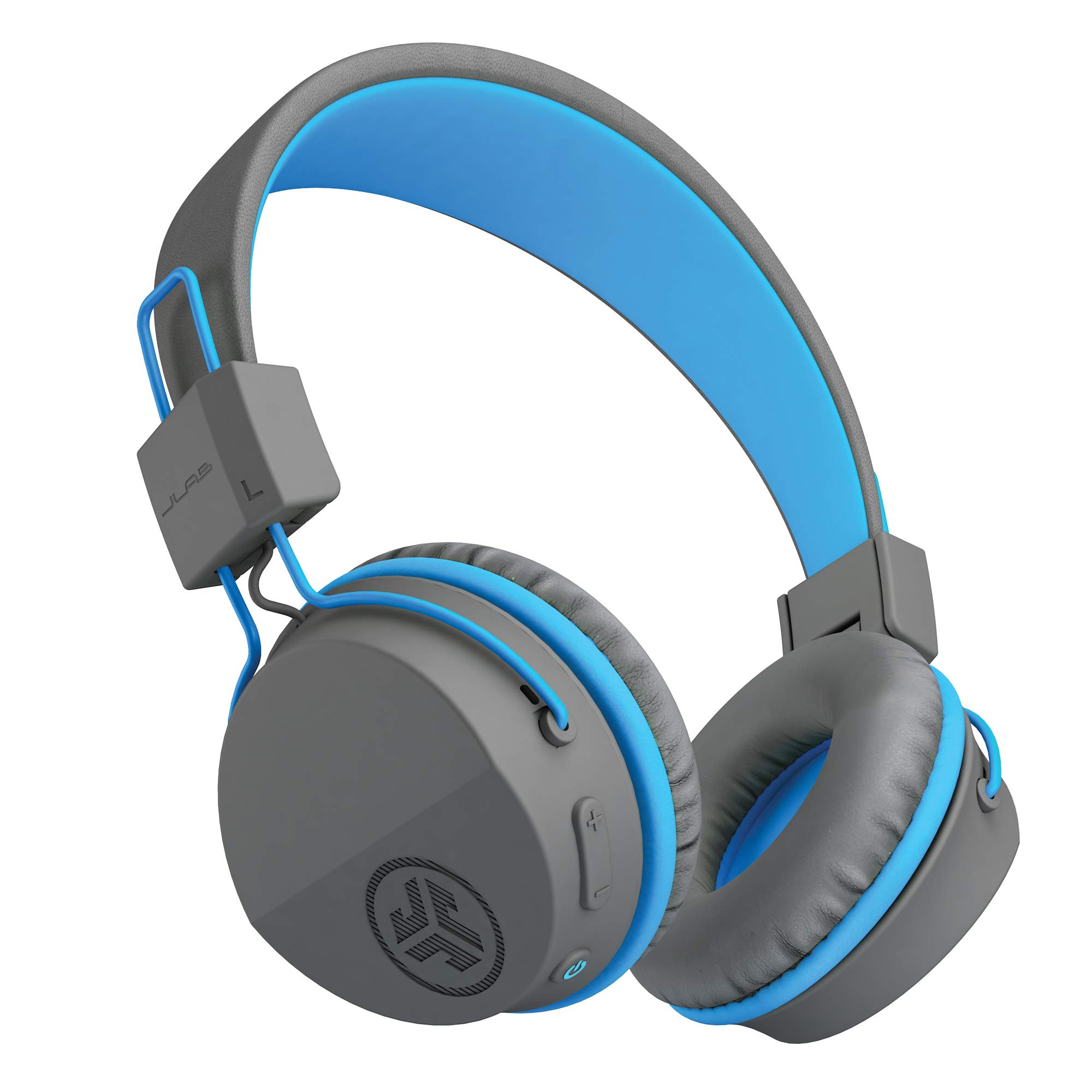
- Wireless battery life is 13 hours.
- A built-in volume limiter is included.
- The headphones fold for travel.
Best For: Children needing wireless headphones with a built-in microphone for school or home learning.
JLab JBuddies Studio 2 Wired
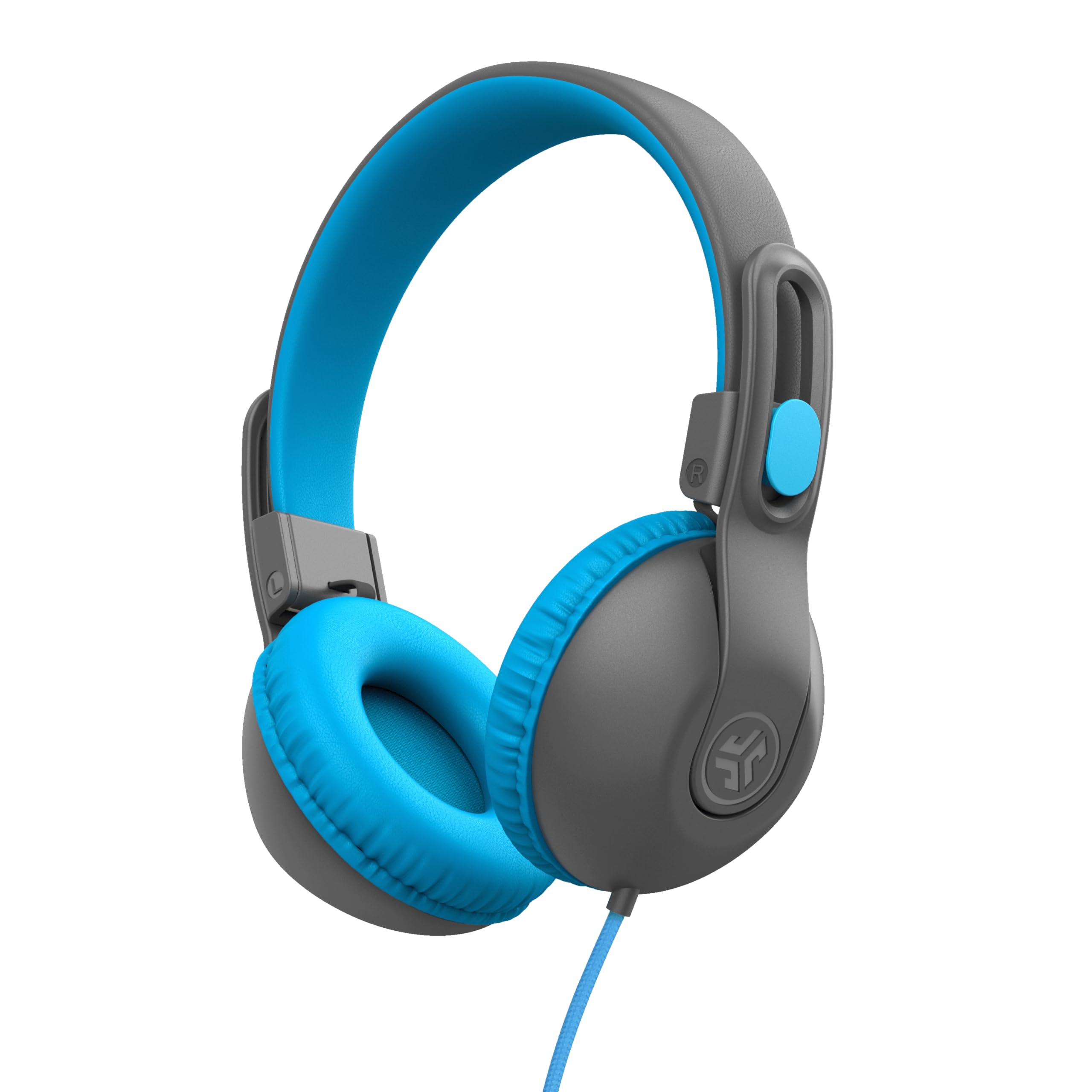
- Connect with the tangle-free braided 3.5mm cord.
- The volume regulator is designed to limit sound to 85dB.
- The adjustable design is for ages 6–16.
Best For: Children who need a plug-in headset with a volume limiter for class and travel.
On-Ear Headset for Back-to-Back Meetings
JLab Go Work Pop, On-Ear Wireless Headset, Bluetooth Multipoint, Noise Canceling Boom Mic, Black
The Go Work Pop pairs a rotating boom microphone with Bluetooth multipoint, so it can connect to a computer and phone at the same time. Its microphone flips up to mute and rotates away when it is not needed.
JLab gives it Voice and Music EQ modes, plus Cloud Foam earcups in a lightweight on-ear design. The stated 50+ hours of playtime and USB-C charging suit people who prefer fewer charging breaks.
This is a compact wireless option for meetings and everyday listening, though it does not offer the wired connection included with some other headsets here.
Best For: A workday split between PC calls and mobile listening, with a lightweight on-ear fit.
| Pros | Cons |
|---|---|
|
|
Choose this headset if you want a dedicated boom mic, quick flip-to-mute control, and simultaneous PC and phone pairing in an on-ear format. The 50+ hour playtime is useful for long work stretches, and the two EQ modes cover both voice and music.
Check that your devices support Bluetooth and that wireless use suits your desk setup; the notes do not identify a wired fallback.
Over-Ear Fit With Wired Backup
JLab JBuds Work Wireless Headset with Microphone, Over Ear Computer Headsets, Wired or Wireless Headphones with 60+ Playtime, Multipoint Bluetooth Headset for Laptop Teams, Office with Mic (16 Pack)
The JBuds Work combines an over-ear fit and rotating boom mic with both Bluetooth and a supplied USB-C to 3.5mm cable. Bluetooth multipoint lets it connect to two devices, while the boom mic can mute through an earcup button and has a red LED mute indicator.
It offers Voice and Music EQ modes and 60+ hours of playtime. That mix makes it suited to office days that move between meetings and listening.
The catalog title identifies a 16-pack, however, so confirm the offer quantity before buying if you need one headset rather than a bulk pack.
Best For: People who want an over-ear work headset with wireless multipoint and a cable option.
| Pros | Cons |
|---|---|
|
|
This is a strong fit for someone who wants an over-ear headset, a boom mic with a visible mute indicator, and the option to plug in. Its 60+ hour playtime and multipoint pairing support full workdays across devices.
The key tradeoff is offer quantity: the title marks this as a 16-pack. Verify the package count before purchase, and check whether the included cable connects properly to your computer or other intended device.
Wired-or-Wireless On-Ear Calls
JLab Go Work Wireless Headsets with Microphone, 45+ Playtime PC Bluetooth Headset and Multipoint Connect to Laptop Computer and Mobile, Wired or Wireless Headphones (1 Pack)
The Go Work gives office users both Bluetooth and wired connection options, with Bluetooth multipoint for two devices at once. Its dual-microphone C3 Calling setup pairs a voice pickup mic with one intended to reduce surrounding sounds.
A rotating boom mic moves aside for listening and returns for calls. The headset has Cloud Foam earcups, onboard controls, Work and Music EQ modes, and 45+ hours of playtime.
It is a practical match for people who mix video meetings with casual listening and want a cable available as a fallback. Its on-ear design is distinct from the over-ear JBuds Work.
Best For: Workers who want an on-ear headset that can switch between Bluetooth and a cable connection.
| Pros | Cons |
|---|---|
|
|
Choose the Go Work if you want an on-ear headset with a cable included, multipoint Bluetooth, and a rotating boom mic. Its 45+ hour playtime and dual-mic call feature, along with Work/Music EQ modes, cover everyday meeting and listening needs.
Check your comfort preference for an on-ear design, and confirm the cable connection fits your device.
Gaming and Office Device Flexibility
SteelSeries Arctis Nova 3X Wireless Multi-Platform Gaming Headset — Mobile App Control — 40 HR Battery — Neodymium Magnetic Drivers — 2.4GHz/Bluetooth — Xbox, PS5, PC, Switch, Mobile — Black
The Arctis Nova 3X is a wireless headset with both 2.4GHz and Bluetooth connectivity and a multi-platform USB-C dongle. It is compatible with Xbox, PlayStation, PC, Switch, mobile devices, and more, making it an option for a desk shared between work and gaming.
SteelSeries includes mobile app control with game presets, while the headset has neodymium magnetic drivers and a 40-hour battery figure. Its adjustable stretchy headband and 260G weight are specified in the notes.
Compared with call-first office headsets, the product details emphasize game audio and platform switching rather than boom-mic call controls.
Best For: People who want one wireless headset for office calls, gaming, and several device types.
| Pros | Cons |
|---|---|
|
|
Consider this model if your headset needs to move between work and gaming devices and you value both Bluetooth and a 2.4GHz dongle connection. The 40-hour battery and app presets add flexibility, but the supplied details focus on gaming audio rather than meeting-oriented microphone controls.
Before choosing it for frequent office calls, confirm the microphone design, mute controls, and fit with your calling applications.
Foldable Wireless Headphones for Calls
JLab, Studio, Wireless On-Ear Headphones, Bluetooth, Foldable, Built-in Mic, Black
The JLab Studio Wireless is a straightforward on-ear headphone option with Bluetooth, a built-in microphone, and a foldable design. It is described with 30+ hours of Bluetooth playtime and Bluetooth 5 compatibility for iOS, Android, and PC.
Three EQ presets—JLab Signature, Balanced, and Bass Boost—let listeners choose a sound mode for music or spoken content. Cloud Foam earcups and a faux leather headband provide cushioning, while the folding frame is convenient for packing.
This model is less meeting-focused than the Go Work headsets because the details do not identify a dedicated boom microphone or multipoint pairing.
Best For: People who want an affordable wireless on-ear pair for calls, commutes, and general listening.
| Pros | Cons |
|---|---|
|
|
Choose the Studio Wireless if your budget headset needs are split between music, commuting, and occasional hands-free calls. The 30+ hour battery figure, folding design, and three EQ presets make it versatile for general use.
People with frequent video meetings may prefer a headset with a dedicated rotating boom mic and mute indicator. Check whether the built-in mic and Bluetooth connection meet your call setup before relying on it as a daily conference headset.
Multipoint Retro Wireless Option
JLab, Rewind 2, Retro Wireless on-Ear Headphones, Bluetooth multipoint, EQ3, Google Fast Pair, Be Aware, Wireless Sharing, Black
The Rewind 2 brings a retro on-ear style together with Bluetooth multipoint, app controls, and an integrated microphone for calls. It can connect to two devices at once, which is useful when moving between a laptop and phone.
The JLab app supports EQ customization, control remapping, Be Aware settings, and firmware updates. The product also includes two sets of foam pads, and the notes specify 20+ hours of playtime with USB-C charging.
Its built-in mic supports call handling, but the details do not describe a dedicated boom or office-specific mute indicator, so it fits mixed listening and light call use more clearly than call-heavy work.
Best For: Listeners who want multipoint connectivity, customizable audio, and a lightweight retro design.
| Pros | Cons |
|---|---|
|
|
The Rewind 2 suits someone who wants one lightweight pair for music and occasional calls across a laptop and phone. Multipoint and app customization offer more control than a basic Bluetooth pair, while 20+ hours of playtime is a more modest endurance figure than the work-focused JLab headsets.
Check the on-ear fit and whether a built-in mic without a documented boom or mute indicator is sufficient for your meeting schedule.
Noise Control for Shared Workspaces
JLab, Go Lux ANC, On Ear Headphones, Active Noise Cancelling, Bluetooth MultIPoint, Cloud White
The Go Lux ANC is an on-ear wireless headset built around hybrid active noise cancelling, Be Aware mode, and app control. Its ANC is described as reducing ambient noise by up to 30dB, while Be Aware allows surrounding sound through.
Bluetooth multipoint pairs with two devices simultaneously, and the app can adjust ANC and Be Aware levels, customize EQ, and remap touch controls. JLab specifies up to 50 hours of playtime and Cloud Foam earcups and headband.
For office use, it can help separate listening from a busy environment, but the product details do not mention a dedicated boom mic for calls.
Best For: People who want on-ear wireless listening with adjustable noise reduction and multipoint pairing.
| Pros | Cons |
|---|---|
|
|
Choose the Go Lux ANC if focused listening in a shared space matters as much as wireless convenience. It combines multipoint pairing, adjustable ANC and Be Aware settings, and up to 50 hours of playtime.
Its supplied details do not establish a dedicated boom mic or call-specific mute control, so people with a meeting-heavy day should check microphone requirements before buying. This is the noise-control choice among the included JLab options.
Volume-Limited Wireless Headset for Students
JLab JBuddies Studio Wireless on-Ear Kids Headphones with mic, Graphite/Blue
The JBuddies Studio Wireless is a child-oriented on-ear headphone with Bluetooth connectivity, a built-in microphone, and a volume limiter. JLab specifies 13-hour wireless battery life, Cloud Foam ear cushions, a padded headband, and metal adjustments.
The headphones fold for packing and have on-ear controls for calls and virtual learning. Those features make it a relevant choice for a student's online classes or travel when a wired cable would be inconvenient.
However, the children's fit and sound-limiting focus are more specialized than a typical adult office headset, and the notes do not describe a boom microphone.
Best For: Children needing wireless headphones with a built-in microphone for school or home learning.
| Pros | Cons |
|---|---|
|
|
This option is best suited to a child using a laptop or tablet for school, rather than an adult seeking an everyday office headset. Its wireless connection, volume limiting, folding design, and built-in mic cover basic learning needs without a cable getting in the way.
The tradeoff is its age-specific fit and 13-hour battery figure. Check whether the child's device pairs through Bluetooth and whether the stated battery life fits the length of a school day.
Wired Learning Headphones for Kids
JLab JBuddies Studio 2 On-Ear Kids Wired Headphones, Grey/Blue, Toddler Headphones, Kid Safe, Studio Volume Safe, Volume Limiter, Folding, Adjustable, Noise Isolation, with Mic
The JBuddies Studio 2 is a wired on-ear headphone for children, with a 3.5mm connection, an inline microphone, and a built-in volume regulator. Its notes describe an 85dB limit, an adjustable design for ages 6–16, and cups that rotate and fold for storage.
The braided nylon cable works with devices that have a 3.5mm jack, so there is no battery charging or Bluetooth pairing to manage. It can serve for online learning and everyday listening, but its child sizing and wired-only setup make it a specialized fit for this office-headset roundup.
Best For: Children who need a plug-in headset with a volume limiter for class and travel.
| Pros | Cons |
|---|---|
|
|
Choose this headset for a child who needs a no-charge wired option for schoolwork, rather than for general adult office use. The inline mic, volume control, adjustable fit, and folding cups address practical classroom needs.
Its main tradeoff is the cable: the device needs a 3.5mm jack, and there is no wireless option in the supplied details. Confirm fit and device compatibility before purchasing.
How to Choose Office Headsets Under 100
How We Picked Office Headsets Under $100
This shortlist focuses on products in the supplied candidates that can serve calls, work listening, or both, while keeping the listed snapshot prices at or below $100. The strongest call-oriented fits have a boom mic, multipoint pairing, or a wired fallback.
We also included general Bluetooth headphones with built-in microphones and child-focused learning headsets, because their lower-cost designs can fit narrower home and school setups. Repeated color offers of the same JBuddies model appear only once.
The candidates cover several different priorities: long battery figures, switching between phone and computer, reducing ambient noise during listening, wired simplicity, and use across work and gaming devices. A low price alone does not make a model a good office fit, so consider whether its microphone and connection style fit the calls you actually take.
Comparing Affordable Office Headsets
For frequent calls, start with microphone placement and mute control. The Go Work Pop and Go Work have rotating boom mics; the Pop flips upward to mute, while the Go Work has a red mute indicator and dual-microphone C3 Calling.
The over-ear JBuds Work adds a wired cable and a longer specified playtime, but its offer is identified as a 16-pack, so verify the quantity. The SteelSeries Arctis Nova 3X instead emphasizes gaming audio and multi-platform connections; confirm its mic controls if meetings are a priority.
Battery figures vary across the choices. The Pop and Lux ANC are specified at 50+ hours or up to 50 hours, the JBuds Work at 60+ hours, the Go Work at 45+ hours, and the Studio Wireless at 30+ hours.
These are product figures rather than a like-for-like measurement, and actual use can vary with connection and settings. For an always-at-desk setup, a supplied wired option on the two Work models can be useful if you prefer not to rely solely on Bluetooth.
| Product | Standout features | Best for |
|---|---|---|
| JLab Go Work PopCheck Price |
| A workday split between PC calls and mobile listening, with a lightweight on-ear fit. |
| JLab JBuds Work Wireless HeadsetCheck Price |
| People who want an over-ear work headset with wireless multipoint and a cable option. |
| JLab Go Work Wireless HeadsetCheck Price |
| Workers who want an on-ear headset that can switch between Bluetooth and a cable connection. |
| SteelSeries Arctis Nova 3X WirelessCheck Price |
| People who want one wireless headset for office calls, gaming, and several device types. |
| JLab Studio Wireless On-Ear HeadphonesCheck Price |
| People who want an affordable wireless on-ear pair for calls, commutes, and general listening. |
| JLab Rewind 2 Wireless On-Ear HeadphonesCheck Price |
| Listeners who want multipoint connectivity, customizable audio, and a lightweight retro design. |
| JLab Go Lux ANC Wireless HeadphonesCheck Price |
| People who want on-ear wireless listening with adjustable noise reduction and multipoint pairing. |
| JLab JBuddies Studio WirelessCheck Price |
| Children needing wireless headphones with a built-in microphone for school or home learning. |
| JLab JBuddies Studio 2 WiredCheck Price |
| Children who need a plug-in headset with a volume limiter for class and travel. |
Choosing a Wireless Headset for a Shared Workspace
Noise cancelling can be useful when you want to focus on audio in a busy room, but the Go Lux ANC details describe listening noise reduction rather than a boom microphone for clearer calls. Its Be Aware mode lets surrounding sound in, and the app adjusts ANC and awareness levels.
If you need the headset for meetings as well as music, distinguish listener-facing ANC from microphone noise reduction: they address different sides of a call.
Multipoint is convenient if you move between a laptop and phone. The Go Work Pop, Go Work, JBuds Work, and Rewind 2 all describe two-device connections.
The Arctis Nova 3X supports 2.4GHz and Bluetooth with a USB-C dongle for several platforms, which may suit a desk shared between work and gaming. Check the connection types on your computer and phone, especially if you plan to use a wired headset or dongle.
When a Kids' Headset Can Fit Home Learning
The JBuddies models are designed for children, with volume-limiting features and built-in microphones. The wireless Studio model avoids cables and specifies 13-hour battery life.
The wired Studio 2 uses a 3.5mm connection and inline mic, so it avoids charging but requires a compatible jack. These are more appropriate for a child's school calls than an adult's full workday, given their intended fit and use.
For adults, on-ear versus over-ear fit is another practical decision. The Go Work and Studio Wireless are on-ear designs, while the JBuds Work is over-ear.
Consider whether cushioning around the ear or resting on it is more comfortable for your own work sessions. Product notes provide Cloud Foam cushioning for several models, but they do not establish an individual fit, so comfort depends on the wearer.
Who Should Buy Which Office Headset Under $100?
For work calls with two-device Bluetooth and a quick flip-to-mute boom, consider the Go Work Pop. Choose the Go Work if you also want a wired option and an on-ear fit, or the JBuds Work if you prefer over-ear cups and verify that the 16-pack quantity suits you.
The Go Lux ANC fits listeners who want noise reduction and Be Aware mode, while the Arctis Nova 3X makes more sense for a mixed work-and-gaming setup.
For occasional calls alongside music or commuting, the JLab Studio Wireless or Rewind 2 provides a built-in microphone without a dedicated boom. For a child attending online classes, choose between the wireless JBuddies Studio and wired Studio 2 based on battery versus cable convenience.
Across all of them, match the microphone style, fit, mute controls, and connection to your actual desk and devices.