This SteelSeries Apex Pro Mini review looks at a compact gaming keyboard built around adjustable magnetic switches and per-key actuation control.
Apex Pro Mini Review Summary
The quick verdict
1,000+ ratings
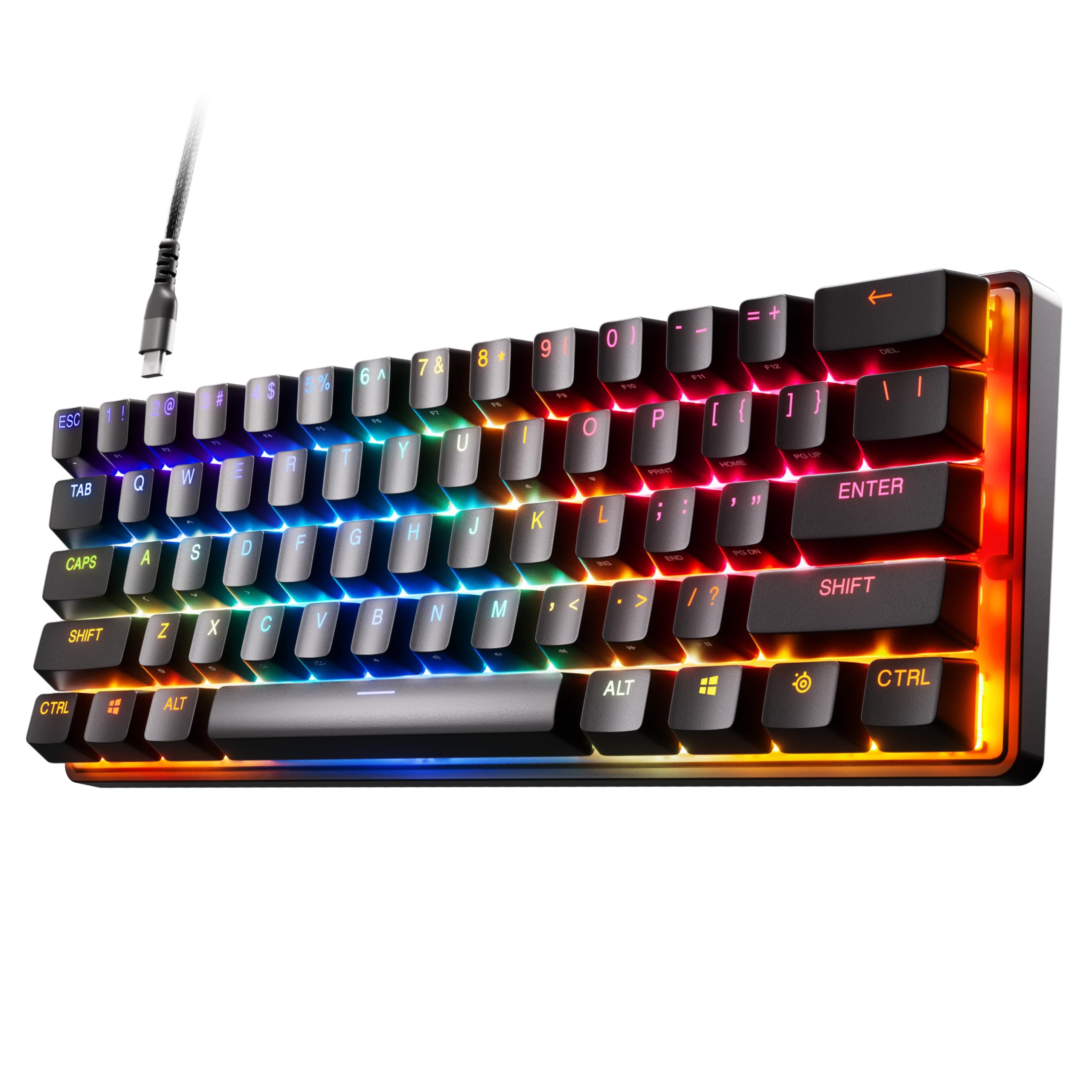
Read Amazon ReviewsSteelSeries Apex Pro Mini
A compact gaming keyboard for players who want per-key actuation control and programmable two-action inputs.
- OmniPoint 2.0 adjustable HyperMagnetic switches.
- Forty per-key actuation levels, adjustable from 0.1–4.0mm.
- Two actions can be assigned to the same key, using a light touch and deeper press.
- 60% form factor with full-size functionality.

Pros
- Per-key actuation can be adjusted across 40 levels.
- One key can perform two actions based on press depth.
Consider before buying
- The 60% layout may take adjustment if you prefer a larger keyboard arrangement.
- Mac users should check that the software features they need are supported on their system.
Read the full review summary
The Apex Pro Mini centers on adjustable OmniPoint 2.0 HyperMagnetic switches, with 40 per-key actuation levels spanning 0.1–4.0mm.
That makes it a strong fit for players who want to tune how lightly or deeply individual keys respond, including setting movement keys and ability keys differently.
Its 60% form factor saves desk space, while the product retains full-size functionality and includes a detachable USB-C connection.
Buyers should be comfortable with the compact layout and should check their operating system needs before purchase, since not all software features are supported on Mac.
The buying factors
Apex Pro Mini Scorecard
Editorial scores reflect listed features and buyer fit; they are not laboratory measurements or customer ratings.
Per-key actuation adjustment
Forty per-key levels from 0.1–4.0mm provide a broad adjustment range for tailoring key response to different actions.
Compact footprint
The 60% form factor is suited to a space-conscious setup, while full-size functionality is part of the design.
Input customization
Two actions can be programmed to one key, allowing a light touch and a deeper press to trigger different actions.
Connection flexibility
The detachable USB-C connection can make cable removal and replacement more convenient for a wired setup.
Platform software fit
Windows and Mac software compatibility is offered, but Mac does not support every software feature, so platform-specific needs deserve a check.
Build materials
A premium aluminum top plate is a useful material feature for buyers who value a metal surface in their keyboard build.
Key Features and Specifications of Apex Pro Mini
- OmniPoint 2.0 adjustable HyperMagnetic switches.
- Forty per-key actuation levels, adjustable from 0.1–4.0mm.
- Two actions can be assigned to the same key, using a light touch and deeper press.
- 60% form factor with full-size functionality.
- Detachable USB-C connection and premium aluminum top plate.
- Compatibility includes Windows, Xbox, PlayStation, and Mac OS X; a USB port is required.
Pros and Cons of Apex Pro Mini
Pros
- Per-key actuation can be adjusted across 40 levels.
- One key can perform two actions based on press depth.
- The 60% layout is paired with full-size functionality.
- The USB-C cable is detachable.
Consider before buying
- The 60% layout may take adjustment if you prefer a larger keyboard arrangement.
- Mac users should check that the software features they need are supported on their system.
- The keyboard requires a USB port, which may affect setups with limited available ports.
Who Should Buy Apex Pro Mini?
Good fit
Choose the Apex Pro Mini if you want to tailor actuation per key for different games or actions. Its 40 levels and two-action key programming offer control for players who want distinct responses from movement and ability keys.
It also suits desk setups where a compact 60% board is appealing, provided the layout fits your habits. Full-size functionality, detachable USB-C, and an aluminum top plate round out the practical feature set.
Who should skip it
Look elsewhere if you need a larger physical layout or expect to use every SteelSeries Engine feature on Mac. The compact format and partial Mac software support may not fit those priorities.
Apex Pro Mini Review: Compact Control for Gaming
Actuation control for different actions
Adjustable actuation is the central reason to consider this board. Forty levels across 0.1–4.0mm let users set different response depths by key, while two-action programming can map a light press and a deeper press to separate commands.
This flexibility is most useful when a player has a clear plan for which keys should behave differently.
What the 60% layout means
A 60% format reduces the keyboard's physical footprint, an advantage when desk space is limited or a player wants more room around the board.
The stated full-size functionality helps answer concerns about what it can do, but it does not change the compact physical arrangement; buyers should make sure that arrangement suits their routine.
Connection and operating system fit
The detachable USB-C connection and broad console and computer compatibility make it easier to consider for a wired gaming setup.
Windows and Mac software are available, though Mac users should verify that required features are supported before relying on customization tools.
Build details and setup needs
The premium aluminum top plate gives the board a metal surface, and USB-C detaches for transport or cable changes. A USB port is required, so check available ports on the intended system as part of the setup decision.
Alternatives to Apex Pro Mini
Computer Keyboards alternative
4,000+ ratings
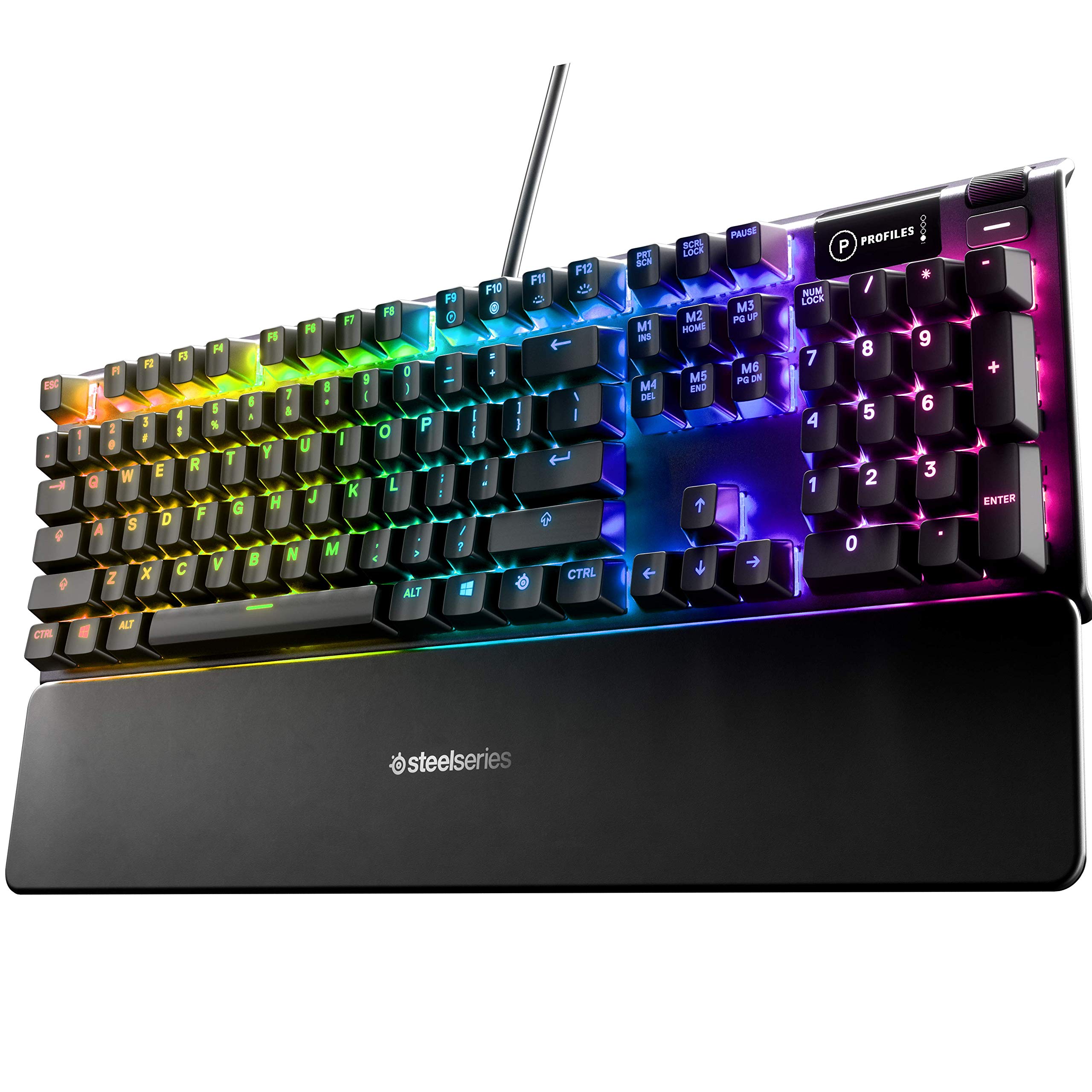
Read Amazon ReviewsSteelSeries Apex 5 Hybrid Mechanical Gaming Keyboard
Prefer the Apex 5 if its hybrid blue switch design and OLED display suit your setup; choose the Apex Pro Mini when per-key actuation tuning and a compact 60% layout matter more.
- The Apex 5 combines hybrid blue mechanical gaming switches with an OLED smart display, offering a different control and information layout.
- The Apex Pro Mini brings adjustable HyperMagnetic switches and a compact 60% form factor for buyers who prioritize per-key tuning and a smaller board.
Computer Keyboards alternative

2,000+ ratings
Read Amazon ReviewsSteelSeries Apex 3 TKL RGB Gaming Keyboard
Choose the Apex 3 TKL if its tenkeyless layout, quiet switches, and IP32 resistance better match your priorities; choose the Apex Pro Mini for a 60% board with adjustable actuation.
- The Apex 3 TKL has a tenkeyless compact layout, whisper quiet gaming switches with anti-ghosting, and IP32 water and dust resistance.
- The Apex Pro Mini offers a compact 60% arrangement and adjustable HyperMagnetic switches, aimed at buyers who value per-key response customization.
Is Apex Pro Mini Worth It?
The SteelSeries Apex Pro Mini is worth considering for players who want unusually fine control over key actuation in a compact gaming keyboard.
Its 40 per-key levels, two-action programming, and detachable USB-C make a focused feature set for a configurable setup.
Buy it if the 60% layout matches your workspace and you can use the features your operating system supports.
Skip it if a larger physical layout is essential or you depend on Mac software features that are unavailable for this model.
Your review at a glance
1,000+ ratings
Read Amazon ReviewsSteelSeries Apex Pro Mini
A compact gaming keyboard for players who want per-key actuation control and programmable two-action inputs.
- OmniPoint 2.0 adjustable HyperMagnetic switches.
- Forty per-key actuation levels, adjustable from 0.1–4.0mm.
- Two actions can be assigned to the same key, using a light touch and deeper press.
- 60% form factor with full-size functionality.