The HP Sprocket Studio Plus 4x6 Wireless Instant Photo Printer is aimed at people who want to turn phone photos into larger prints without a complicated desktop workflow.
This review looks at how its wireless setup, editing tools, and included starter media fit everyday home printing.
Sprocket Studio Plus Review Summary
The quick verdict
800+ ratings
Read Amazon ReviewsHP Sprocket Studio Plus
A home photo printer for smartphone users who want customizable 4×6 prints for albums, frames, and creative projects.
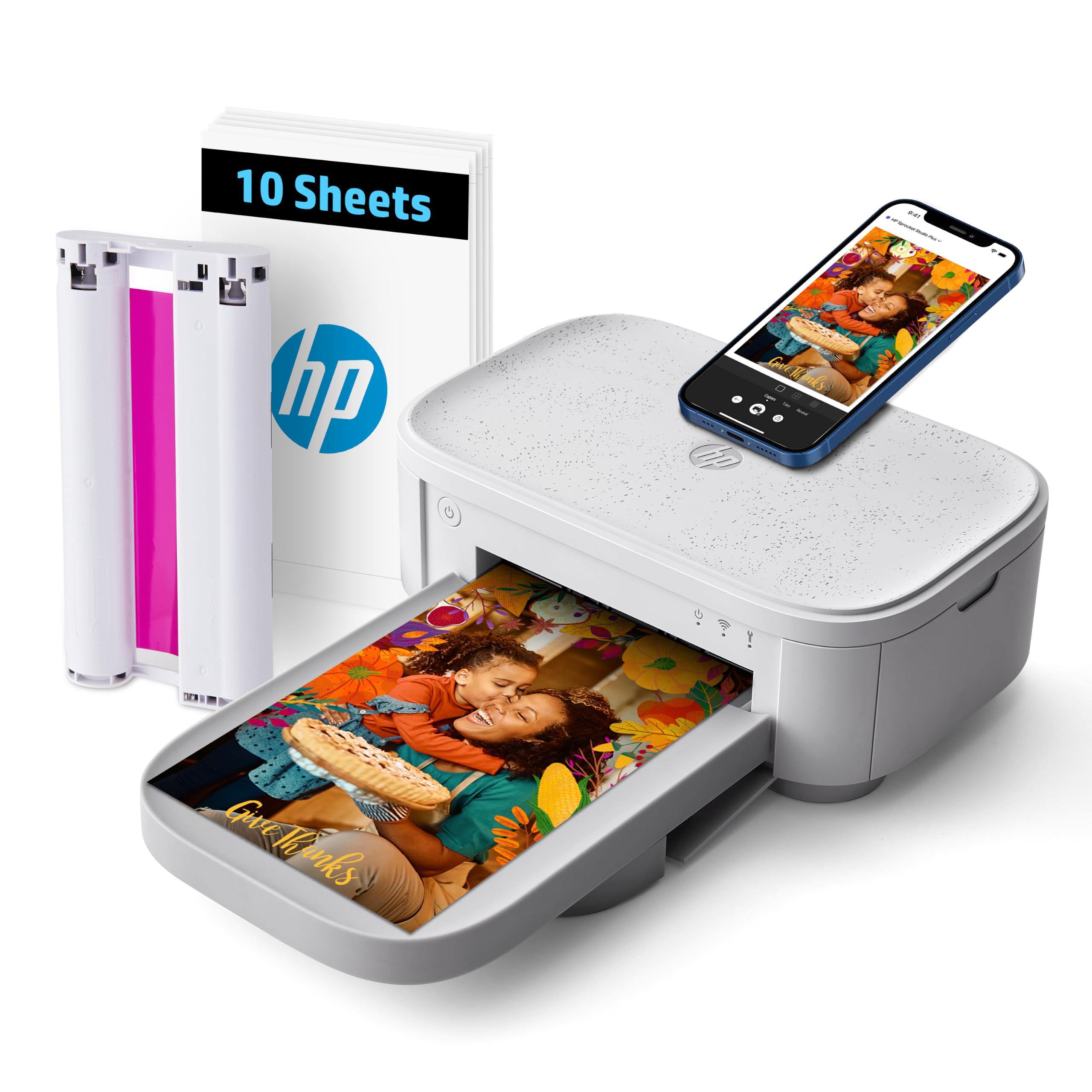
- Prints 4×6-inch color photos from a smartphone.
- Uses premium dye-sublimation printing.
- Connects to Wi-Fi through the HP Sprocket app.
- The app offers stickers, frames, filters, collages, and photo-booth creations.

Pros
- A standard 4×6-inch format works well for framed pictures, albums, and sharing at home.
- Wireless printing and app-based editing keep the process centered on a smartphone.
Consider before buying
- The included 10 sheets make the starter supply limited if you expect to print regularly; check the cost and availability of compatible refill supplies before committing.
- The described workflow depends on a smartphone app and Wi-Fi, so buyers who prefer direct computer-based printing should confirm the setup suits their devices.
Read the full review summary
The Sprocket Studio Plus pairs smartphone printing with 4×6-inch output, dye-sublimation printing, and an editing app for decorating images before they leave the printer.
The supplied package includes 10 sheets and a cartridge, giving a new owner a small starter supply to try the workflow.
Its appeal is strongest for households that print selected pictures for albums, frames, or gatherings and enjoy adding borders, stickers, or filters.
The compact home-use design and Wi-Fi connection make it a more natural fit for occasional creative printing than for buyers focused on high-volume output or pocket-size prints.
The buying factors
Sprocket Studio Plus Scorecard
Editorial scores reflect listed features and buyer fit; they are not laboratory measurements or customer ratings.
Smartphone workflow
The printer connects to a smartphone over Wi-Fi through the HP Sprocket app, keeping photo selection and editing in a familiar device.
Print size
Its 4×6-inch output suits albums and frames better than tiny keepsake formats, though the description identifies one print size.
Creative editing
Stickers, frames, filters, collages, and photo-booth options give users several ways to personalize images before printing.
Starter supplies
Ten sheets and a cartridge are included, enough to begin exploring the printer but a modest starting amount for a busy household.
Print durability features
The described paper is tear-resistant, smudge-proof, and waterproof, useful qualities for prints that may be handled or displayed.
Everyday home fit
The compact home-use design and direct smartphone workflow suit occasional personal printing; the description does not establish a high-volume role.
Key Features and Specifications of Sprocket Studio Plus
- Prints 4×6-inch color photos from a smartphone.
- Uses premium dye-sublimation printing.
- Connects to Wi-Fi through the HP Sprocket app.
- The app offers stickers, frames, filters, collages, and photo-booth creations.
- Prints are described as dry to the touch when produced.
- The paper is described as tear-resistant, smudge-proof, and waterproof.
- The package includes 10 sheets of photo paper and a cartridge.
Pros and Cons of Sprocket Studio Plus
Pros
- A standard 4×6-inch format works well for framed pictures, albums, and sharing at home.
- Wireless printing and app-based editing keep the process centered on a smartphone.
- Creative tools support more than straightforward photo output, including collages and decorated images.
- The paper’s described resistance to water, smudges, and tearing is useful for prints that will be handled.
Consider before buying
- The included 10 sheets make the starter supply limited if you expect to print regularly; check the cost and availability of compatible refill supplies before committing.
- The described workflow depends on a smartphone app and Wi-Fi, so buyers who prefer direct computer-based printing should confirm the setup suits their devices.
- The product description focuses on 4×6-inch prints, which may not suit buyers who want several print sizes from one device.
Who Should Buy Sprocket Studio Plus?
Good fit
Consider the Sprocket Studio Plus if most of your photo printing starts on a phone and you want prints large enough for a small frame or album page.
Its Wi-Fi connection and editing app can make the gap between taking a picture and sharing a finished print feel straightforward, while the sticker, frame, and filter options add room for personal touches.
It is particularly relevant for occasional home use: printing a few favorite vacation pictures, making a collage, or preparing photos for a family gathering.
The paper’s described resistance to smudging, water, and tearing also suits prints likely to be passed around, though handling and storage will still affect how any photo ages.
Before buying, consider how quickly you will use the starter pack and check that replenishment supplies fit your ongoing printing budget.
If the app-based Wi-Fi workflow matches your phone and the 4×6 format covers your needs, the printer offers a focused way to make smartphone photos tangible.
Who should skip it
Skip it if you need a printer for frequent, large batches and the small included supply would require immediate replenishment; compare ongoing paper and cartridge costs against your expected volume first.
Look elsewhere if you require multiple print sizes or want a workflow that does not depend on a smartphone app and Wi-Fi. The described design centers on wireless phone printing and 4×6 photos.
How the Sprocket Studio Plus Fits Home Photo Printing
A print size for albums and frames
The 4×6-inch format is a practical middle ground for personal photos: it gives an image more presence than a pocket-size print while remaining easy to place in common album and frame formats.
Buyers who primarily want tiny instant keepsakes, or need larger output, should check whether this single described size matches their projects.
Editing before the photo comes out
The Sprocket app’s stickers, frames, filters, collage, and photo-booth options make the phone part of the creative workflow, rather than simply a source image.
That is useful for personalized gifts or event pictures, especially when a quick decorative treatment matters more than editing on a larger screen.
What the paper claims for everyday handling
The supplied description emphasizes tear-resistant, smudge-proof, waterproof paper and prints that are dry to the touch when produced.
These properties may help with photos that are handled soon after printing or displayed in busy spaces; they do not remove the need to store prints thoughtfully or protect them from other kinds of damage.
Plan for supplies and connection
The package’s 10 sheets and cartridge provide a starting point, but they are a limited basis for judging long-term printing costs.
Since the workflow uses the HP Sprocket app and Wi-Fi, check phone compatibility and refill availability before choosing it for a regular printing habit.
Alternatives to Sprocket Studio Plus
Desktop Photo Printers alternative
19,000+ ratings
Read Amazon ReviewsKODAK Dock Plus 4×6 Photo Printer
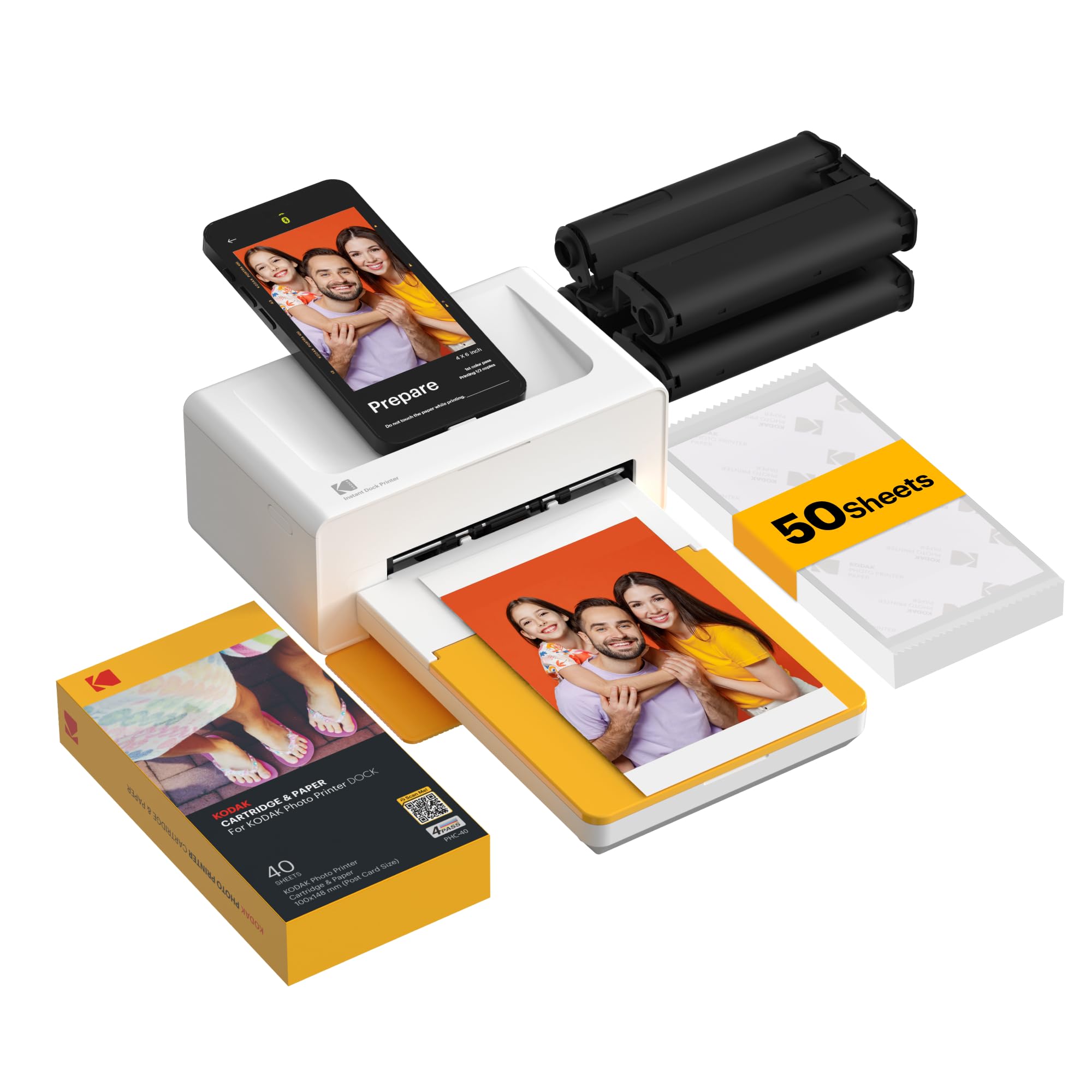
Consider the KODAK if a physical phone dock and a larger included paper supply better suit your home routine. The Sprocket is the more relevant fit when its described Wi-Fi app editing and creative tools are the priority.
- The KODAK Dock Plus offers an integrated phone docking station that can charge a phone while printing, along with Bluetooth connectivity and an included 50-sheet supply.
- The Sprocket Studio Plus centers its workflow on Wi-Fi and app-based editing, and its described package includes 10 sheets and a cartridge.
Battery-focused alternative
500+ ratings
Read Amazon ReviewsLiene M200 4×6 Photo Printer
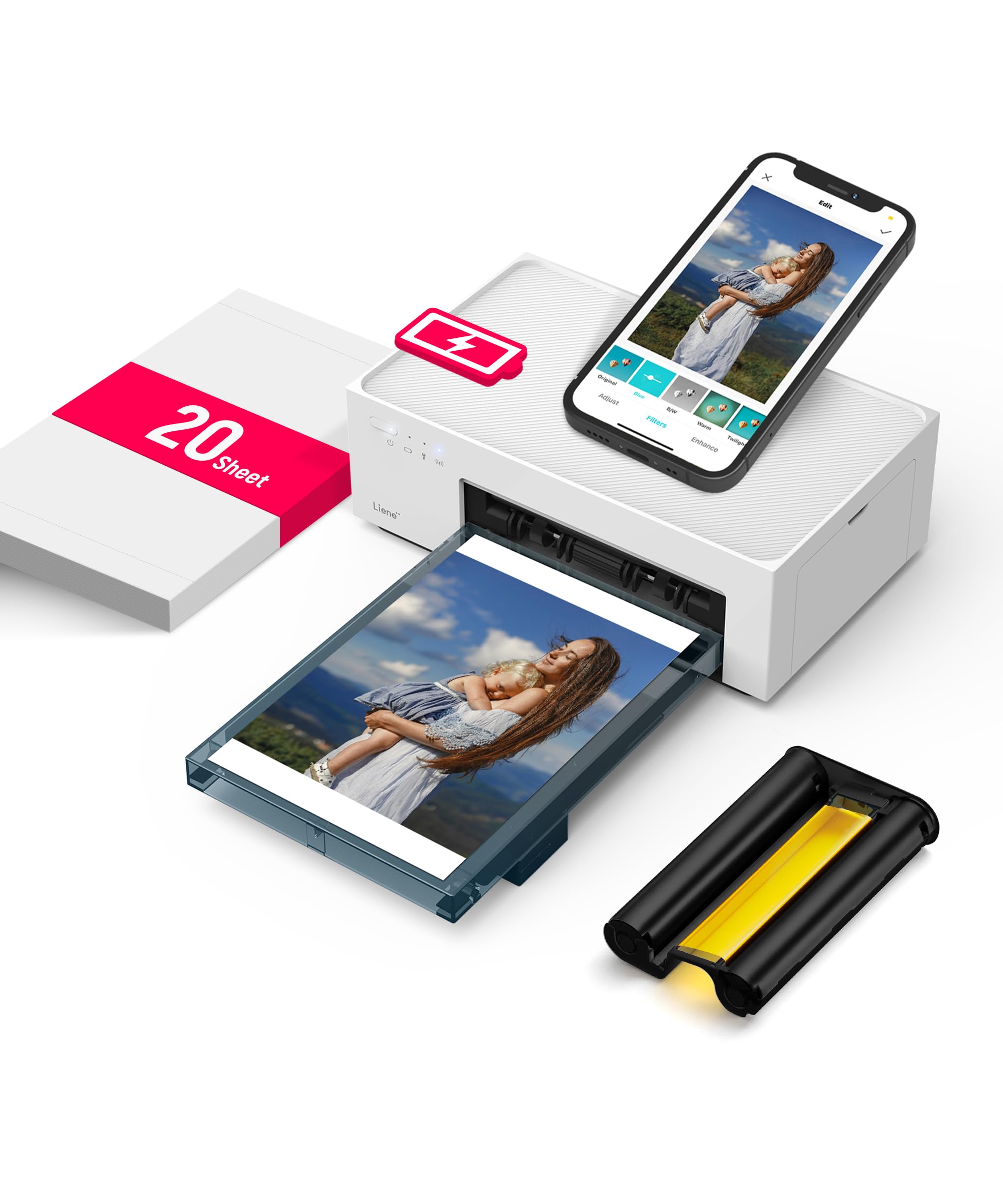
The Liene M200 is a better match if printing away from an outlet is important, subject to its stated battery capacity and your needs.
Choose the Sprocket when its app-based creative options and home-focused workflow are the stronger fit.
- The Liene M200 adds a built-in rechargeable battery, a built-in Wi-Fi hotspot, and a stated capacity of up to 40 prints per charge; its package includes 20 sheets and one cartridge.
- The Sprocket Studio Plus is described as a compact home printer with Wi-Fi smartphone printing and creative editing features.
Is Sprocket Studio Plus Worth It?
The HP Sprocket Studio Plus is worth considering for smartphone users who want 4×6 home prints and enjoy personalizing photos before printing.
Its app editing, wireless connection, and paper described as resistant to water, smudges, and tearing make a sensible combination for albums, frames, and casual sharing.
Treat it as an occasional creative printer unless refill costs and your expected supply needs support more frequent use.
Check that the app and Wi-Fi workflow suit your devices, and that 4×6 output is the size you actually want; with those conditions met, it is a focused option for making selected phone photos physical.
Your review at a glance
800+ ratings
Read Amazon ReviewsHP Sprocket Studio Plus
A home photo printer for smartphone users who want customizable 4×6 prints for albums, frames, and creative projects.
- Prints 4×6-inch color photos from a smartphone.
- Uses premium dye-sublimation printing.
- Connects to Wi-Fi through the HP Sprocket app.
- The app offers stickers, frames, filters, collages, and photo-booth creations.