The Osmo Coding Kit review is for families looking to introduce coding through physical play on an iPad. Its three apps use tangible command blocks for an adventure, music creation, and collaborative puzzles.
Osmo Coding Kit Review Summary
The quick verdict
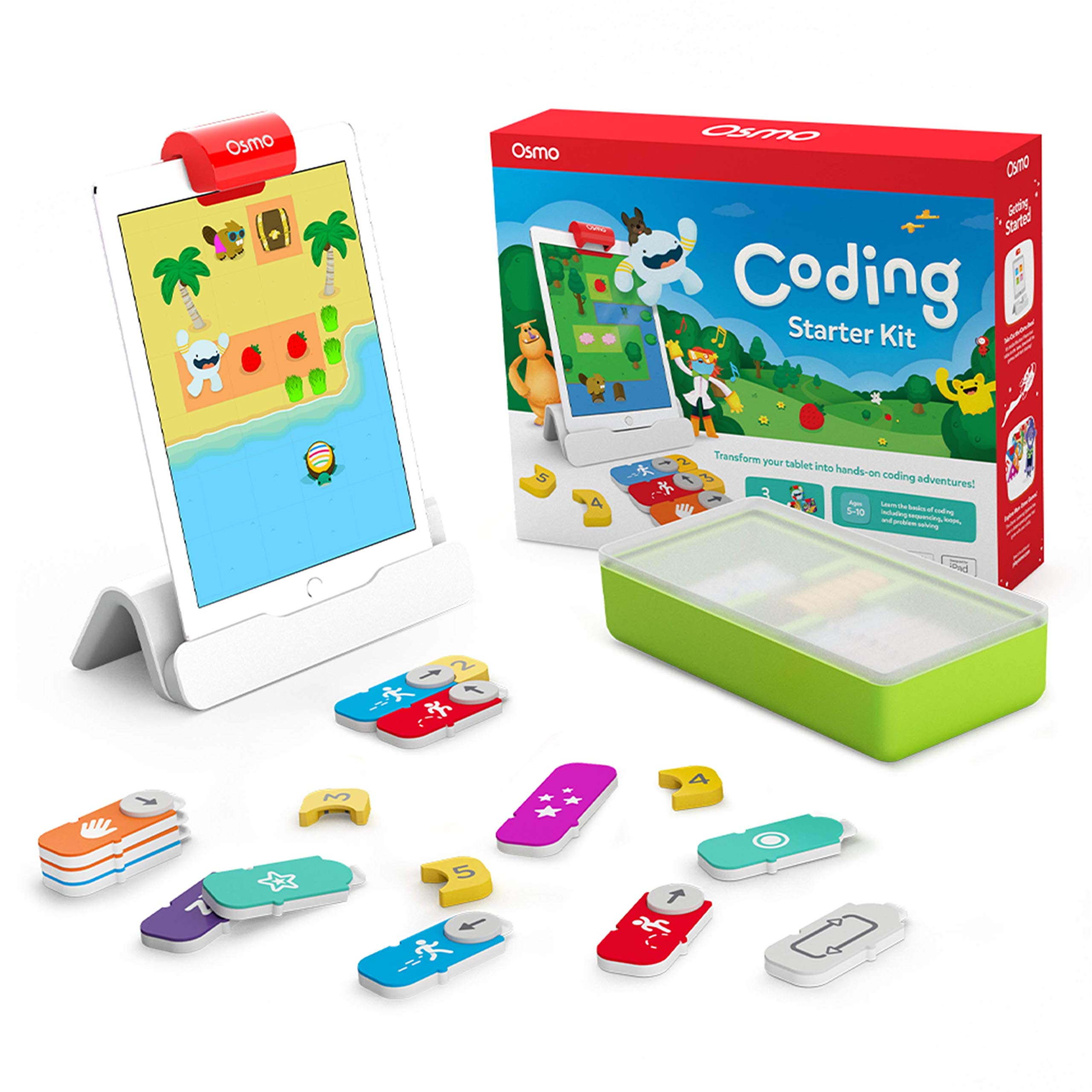
2,000+ ratings
Read Amazon ReviewsOsmo Coding Kit
A hands-on coding set for children ages 5 and up who have a compatible iPad and enjoy puzzles, music, and creative play.
- Includes an Osmo Base and adjustable reflector for iPad; the iPad itself is not included.
- Comes with 31 tangible coding blocks, including Walk, Jump, Hand, Magic, Rest, number quantifiers, Repeat, and Subroutines.
- Includes three apps: Coding Awbie, Coding Jam, and Coding Duo.
- Coding Awbie uses physical commands to guide a character through an adventure.

Pros
- Physical blocks make coding commands something children can arrange and manipulate.
- Three distinct apps offer adventure, music-making, and puzzle activities in one kit.
Consider before buying
- An iPad is required and must be a supported model running iOS 15 or later.
- The set is centered on Osmo's three included coding apps, so it may be less suitable for families seeking a broad mix of non-coding subjects.
Read the full review summary
The kit combines an Osmo Base and reflector, 31 coding blocks, storage, and three apps: Coding Awbie, Coding Jam, and Coding Duo.
Children arrange commands such as Walk, Jump, Repeat, and Subroutines, then see and hear the results in the games. The different activities connect coding concepts with exploration, music, and puzzle solving.
It is designed for ages 5 and up, with games described as spanning beginner to expert levels.
It may suit a child who likes manipulating objects and learning through experimentation, as long as the family has a compatible iPad. The iPad is required but is not included, so device compatibility is the first buying check.
The buying factors
Osmo Coding Kit Scorecard
Editorial scores reflect listed features and buyer fit; they are not laboratory measurements or customer ratings.
Hands-on interaction
The 31 physical coding blocks give children tangible commands to arrange during play.
Activity variety
The three included apps cover an adventure, music composition, and coding puzzles.
Coding concepts
Commands include numbers, repeats, and subroutines, supporting varied introductory puzzle play.
Creative play
Coding Jam connects blocks with rhythm, melody, patterns, and a library of more than 300 musical sounds.
Shared play
Coding Duo supports solo or group puzzle solving with teamwork and strategy.
Device flexibility
A wide range of iPad models is listed, but an iPad is required and compatibility depends on the specific model and software.
Key Features and Specifications of Osmo Coding Kit
- Includes an Osmo Base and adjustable reflector for iPad; the iPad itself is not included.
- Comes with 31 tangible coding blocks, including Walk, Jump, Hand, Magic, Rest, number quantifiers, Repeat, and Subroutines.
- Includes three apps: Coding Awbie, Coding Jam, and Coding Duo.
- Coding Awbie uses physical commands to guide a character through an adventure.
- Coding Jam introduces rhythm, melody, harmony, patterns, and loops, with more than 300 musical sounds.
- Coding Duo offers more than 60 coding puzzles for solo or cooperative play.
- Compatible iPads must run iOS 15 or later; the supported list includes several iPad, iPad Air, iPad mini, and iPad Pro generations.
Pros and Cons of Osmo Coding Kit
Pros
- Physical blocks make coding commands something children can arrange and manipulate.
- Three distinct apps offer adventure, music-making, and puzzle activities in one kit.
- The command set includes repeats and subroutines alongside basic movement and number blocks.
- The games are designed for ages 5 and up and described as supporting a range of ability levels.
- Gameplay does not require Wi-Fi.
Consider before buying
- An iPad is required and must be a supported model running iOS 15 or later.
- The set is centered on Osmo's three included coding apps, so it may be less suitable for families seeking a broad mix of non-coding subjects.
- The physical pieces and base require a place to set up and store the kit between sessions.
Who Should Buy Osmo Coding Kit?
Good fit
Consider the Osmo Coding Kit if the child enjoys hands-on puzzles and is ready to explore coding ideas through trial and adjustment.
The blocks provide an approachable way to give commands, while the apps offer different contexts for using them.
It is a particularly good fit when music or cooperative puzzle play could help sustain interest.
Before buying, check the exact iPad model against the compatibility list and confirm that it runs iOS 15 or later; the tablet is a separate requirement.
Who should skip it
Skip this kit if you do not have a compatible iPad or want a coding toy that works without a tablet.
It also may not fit a child who prefers activities focused on subjects outside coding, music creation, and coding puzzles.
How the Osmo Coding Kit Turns Commands Into Play
Physical commands and feedback
Children arrange coding blocks to control actions in the apps, making commands visible and adjustable. The described real-time audio and visual feedback supports experimentation: a child can change the sequence and observe how the game responds.
Three different ways to use coding
Coding Awbie frames commands as an adventure, Coding Jam applies them to musical patterns, and Coding Duo presents side-by-side puzzles.
That range can help a child encounter coding ideas in more than one kind of activity without changing kits.
A progression of concepts
The included pieces cover movement, numbers, repetition, and subroutines. This gives the kit material for more than simple directional commands, while the stated beginner-to-expert range suggests families can look for challenges that match the child's current comfort.
The device is part of the purchase decision
The kit depends on an iPad and its reflector setup. Since compatibility varies by model and the minimum listed operating system is iOS 15, checking the device before purchase is essential to avoid a mismatch.
Alternatives to Osmo Coding Kit
The supplied comparison offers one useful option with a different subject range and tablet requirement.
Electronic Learning & Education Toys alternative
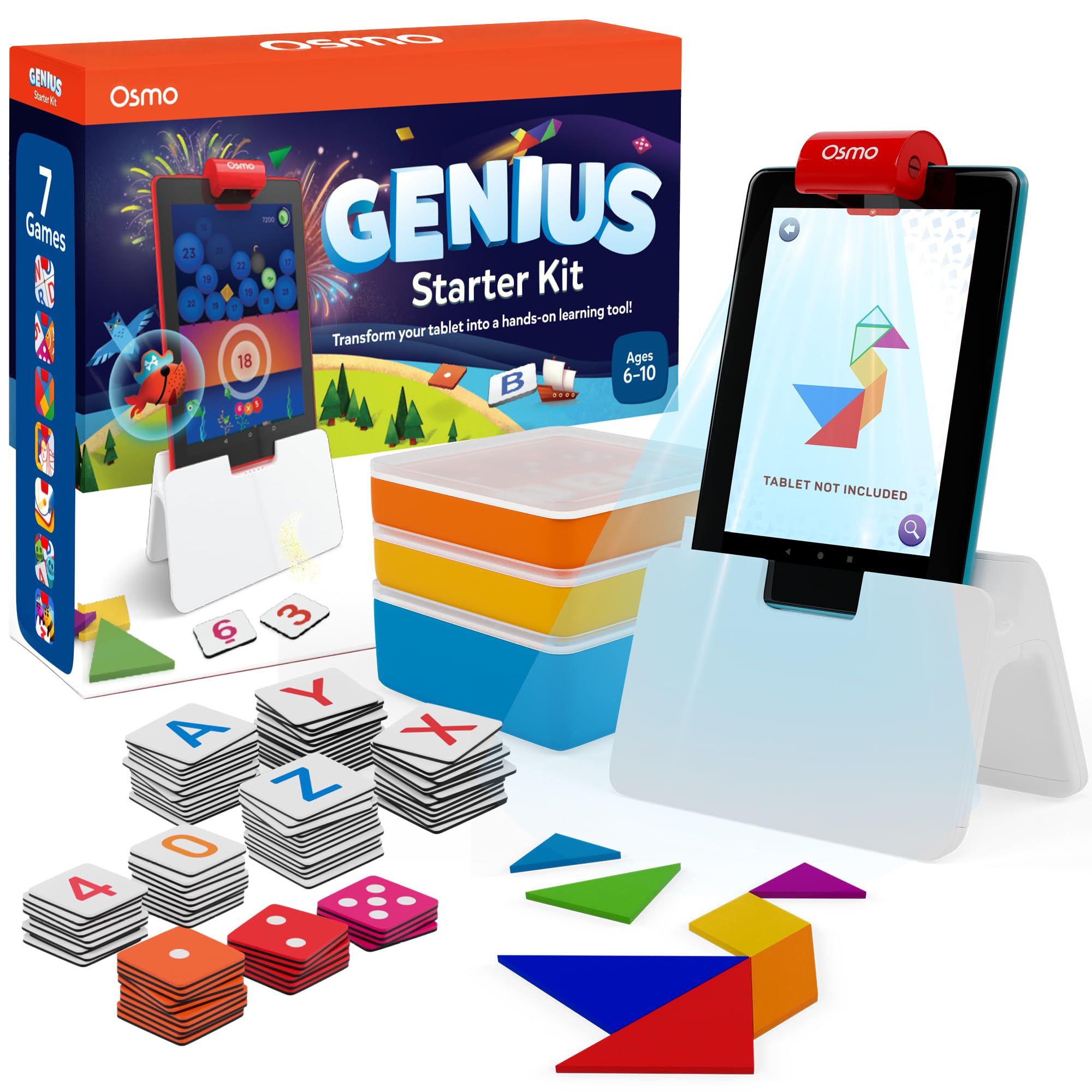
700+ ratings
Read Amazon ReviewsOsmo Genius Kit
Choose the Coding Kit for a more focused introduction to coding on a compatible iPad.
Consider the Genius Kit if a wider mix of learning games is the priority and you have a supported Fire Tablet; its device requirements differ, so check the exact model before choosing.
- The Osmo Genius Kit includes seven apps spanning math, spelling, vocabulary, art, physics, and other learning activities, and is designed for a Fire Tablet.
- The Osmo Coding Kit focuses on coding through three apps for adventure, music, and puzzles, using 31 coding blocks.
Is Osmo Coding Kit Worth It?
The Osmo Coding Kit is worth considering for families with a compatible iPad who want coding play built around physical pieces.
Its three apps offer distinct ways to explore commands, patterns, and puzzles, with both solo and cooperative activities.
Check iPad model and iOS compatibility before buying, and keep in mind that the tablet is not included.
If those requirements suit your setup and the child is interested in hands-on coding, this kit offers a focused, varied starting point.
Your review at a glance
2,000+ ratings
Read Amazon ReviewsOsmo Coding Kit
A hands-on coding set for children ages 5 and up who have a compatible iPad and enjoy puzzles, music, and creative play.
- Includes an Osmo Base and adjustable reflector for iPad; the iPad itself is not included.
- Comes with 31 tangible coding blocks, including Walk, Jump, Hand, Magic, Rest, number quantifiers, Repeat, and Subroutines.
- Includes three apps: Coding Awbie, Coding Jam, and Coding Duo.
- Coding Awbie uses physical commands to guide a character through an adventure.