The Phomemo Label Maker review centers on the D30, a compact Bluetooth printer designed for quick labels around the home, classroom, or office.
Its phone-based templates and multiple tape widths make it appealing for everyday organization, though buyers should account for the required app and the permanent-adhesive tradeoff.
Phomemo D30 Review Summary
The quick verdict
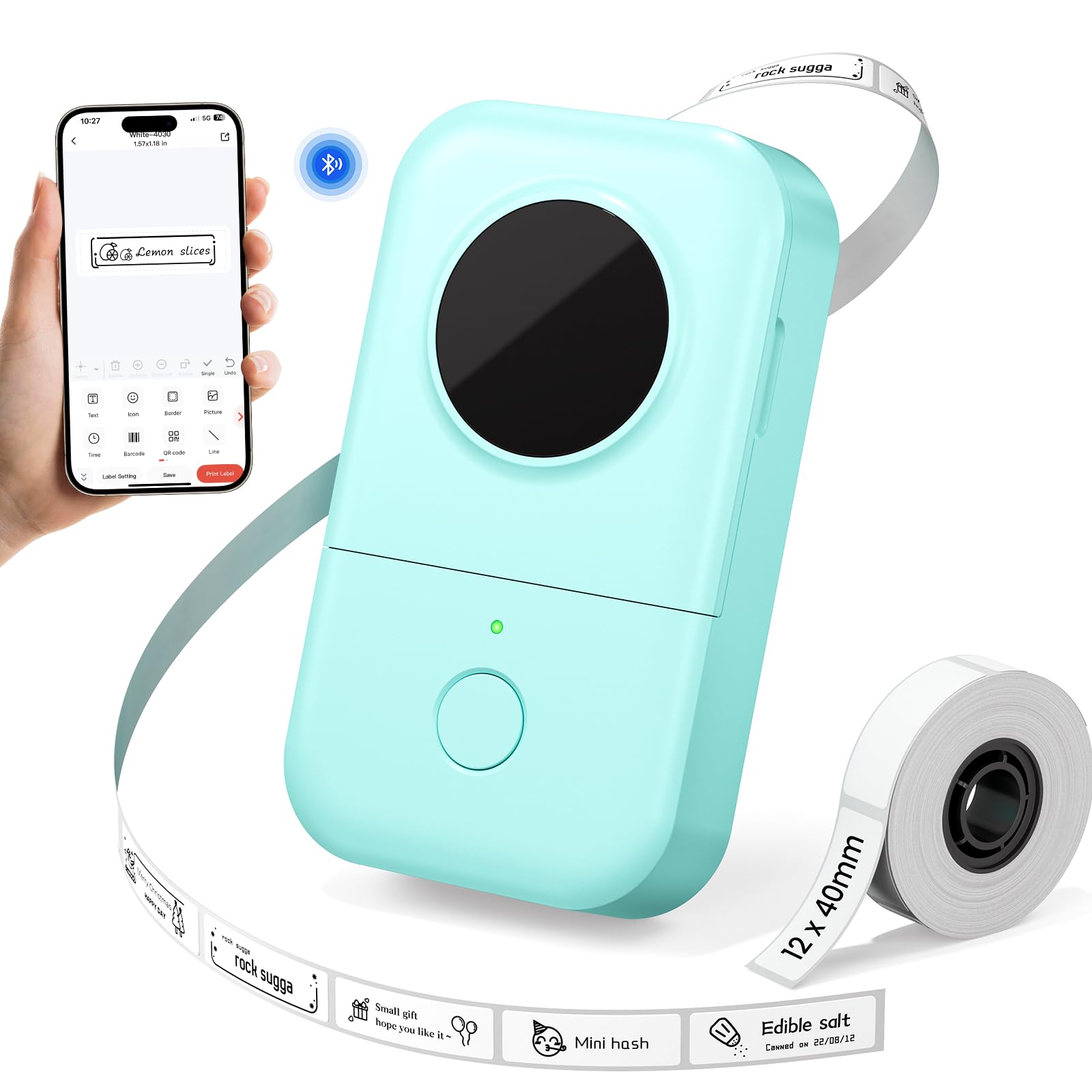
1,000+ ratings
Read Amazon ReviewsPhomemo D30 Label Maker
A pocketable Bluetooth label maker for home, school, and office organization, with flexible design tools and several supported tape widths.
- Bluetooth connection supports label creation from a phone through the Print Master app; the product description specifically directs users to that app rather than the Phomemo app.
- Thermal printing produces monochrome output without ink, toner, or ribbons.
- The stated print resolution is 203 DPI.
- Supported tape widths are 6 mm, 12 mm, 14 mm, and 15 mm.

Pros
- Compact and light enough to move around the home, classroom, or office.
- A substantial selection of fonts, symbols, and layout elements supports personalized labels.
Consider before buying
- The product description identifies Print Master as the required app, so buyers should be comfortable creating labels on a phone through that app.
- Strong adhesive may leave residue, making labels less convenient to remove cleanly.
Read the full review summary
The D30 pairs a small, rechargeable thermal printer with a broad set of design tools in the Print Master app.
It can create text, QR codes, barcodes, and image-based labels, while support for 6 mm, 12 mm, 14 mm, and 15 mm tapes gives it options for narrow identifiers as well as wider jar or folder labels.
Its best fit is someone who wants a portable, phone-driven tool for intermittent labeling rather than a full-size desktop setup.
Thermal printing avoids ink, toner, and ribbon supplies, but the description does not specify included tape quantities or a battery runtime, so check the package details and keep suitable tape on hand before planning a large labeling project.
The buying factors
Phomemo D30 Scorecard
Editorial scores reflect listed features and buyer fit; they are not laboratory measurements or customer ratings.
Portability
At 0.35 pounds, the compact design is easy to carry between rooms or take along.
Design flexibility
The app provides more than 1,000 symbols, 120 fonts, 60 frames, and 60 borders for varied label layouts.
Tape-width range
Four listed widths, from 6 mm to 15 mm, cover a useful range of small organizational labels.
Printing convenience
Bluetooth phone printing and direct thermal output avoid a wired desktop workflow and ink supplies.
Power readiness
The 1,200 mAh rechargeable battery supports cordless use, although no runtime is provided.
Removal flexibility
The adhesive is described as strong and may leave residue, which matters for temporary or delicate-surface labels.
Key Features and Specifications of Phomemo D30
- Bluetooth connection supports label creation from a phone through the Print Master app; the product description specifically directs users to that app rather than the Phomemo app.
- Thermal printing produces monochrome output without ink, toner, or ribbons.
- The stated print resolution is 203 DPI.
- Supported tape widths are 6 mm, 12 mm, 14 mm, and 15 mm.
- The app includes more than 1,000 symbols, 120 fonts, 60 frames, and 60 borders, and supports text, QR codes, barcodes, materials, and images.
- A 1,200 mAh rechargeable battery and Micro USB charging port support portable operation.
- The printer weighs 0.35 pounds, and the label adhesive is described as strong with possible residue after removal.
Pros and Cons of Phomemo D30
Pros
- Compact and light enough to move around the home, classroom, or office.
- A substantial selection of fonts, symbols, and layout elements supports personalized labels.
- Thermal printing avoids ink, toner, and ribbon replacement.
- Multiple tape widths make it adaptable to different small-label tasks.
Consider before buying
- The product description identifies Print Master as the required app, so buyers should be comfortable creating labels on a phone through that app.
- Strong adhesive may leave residue, making labels less convenient to remove cleanly.
- No battery runtime or tape quantity is specified in the product description; check package details if those determine whether it suits a planned project.
Who Should Buy Phomemo D30?
Good fit
Consider the Phomemo D30 if your labeling is mostly for jars, containers, folders, school supplies, or other everyday organization and you want to design labels from a phone.
Its range of templates and symbols can help vary the look without requiring a computer-based design process.
It is also a practical style of printer for someone who values portability and wants to avoid ink supplies.
Before buying, confirm that the available tape widths suit your label dimensions and that you are comfortable using the Print Master app and Micro USB charging.
Who should skip it
Look elsewhere if your routine depends on labels that must peel away cleanly: the adhesive may leave residue.
Also check the required app and tape options first if your phone workflow or preferred label material is a firm requirement.
How the Phomemo D30 Fits Everyday Labeling
App-based design and setup
The D30 puts label composition in a phone app, with text, codes, images, and a large selection of decorative elements.
That range is useful when labels need different visual treatments, but the app choice matters: the product description directs users to Print Master, so it is sensible to confirm that app works with your phone before relying on the printer.
Choosing tape width
The four listed widths give buyers some control over how much information fits and how prominent each label appears.
Narrow tape is suited to compact identifiers, while wider choices allow more room for longer wording or larger designs; check the available tape format against the surface and content you intend to label.
Thermal output and ongoing supplies
Direct thermal printing removes ink, toner, and ribbon from the supply list, simplifying the printer side of upkeep.
Tape remains the consumable, and the listed 203 DPI gives a concrete resolution reference, though the product details do not describe print speed or how long a charge lasts.
Adhesive and placement
The strong adhesive can be useful when labels are meant to stay put on containers, folders, and storage items.
Since residue may remain after removal, consider the surface and whether you expect to relabel it; for a delicate or temporary application, test a small area first.
Alternatives to Phomemo D30
Desktop Label Printers alternative
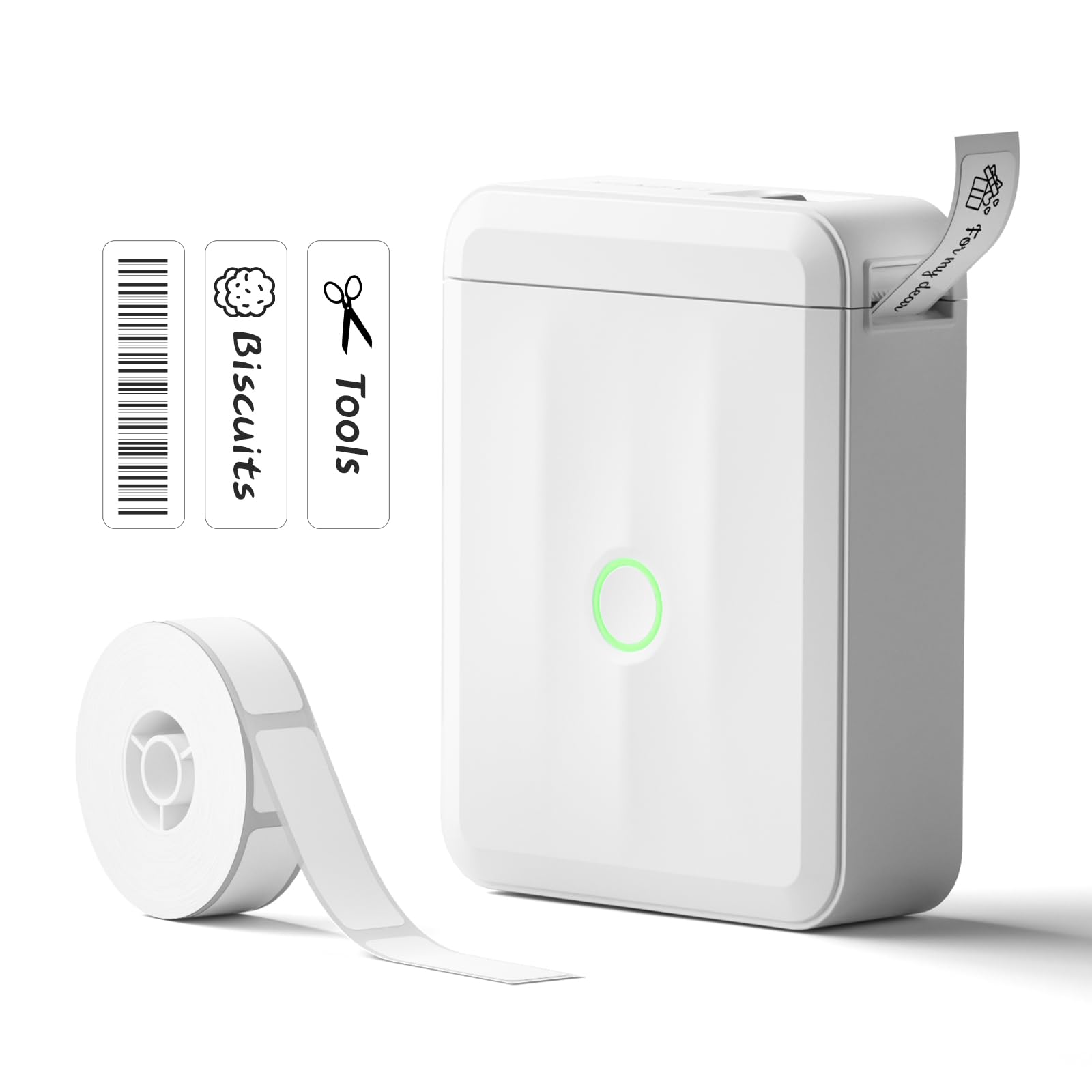
14,000+ ratings
Read Amazon ReviewsNIIMBOT D110 Label Maker
Choose the D30 if its listed tape widths and Print Master design options suit your labeling routine. Consider the D110 if batch printing and Type-C charging are priorities and phone-only operation fits your setup.
- The NIIMBOT D110 uses the NIIMBOT app, supports batch printing, and lists Type-C charging; its description says it does not work with computers.
- The Phomemo D30 offers a broad design toolkit and lists four tape widths, with Bluetooth phone use through Print Master.
Desktop Label Printers alternative
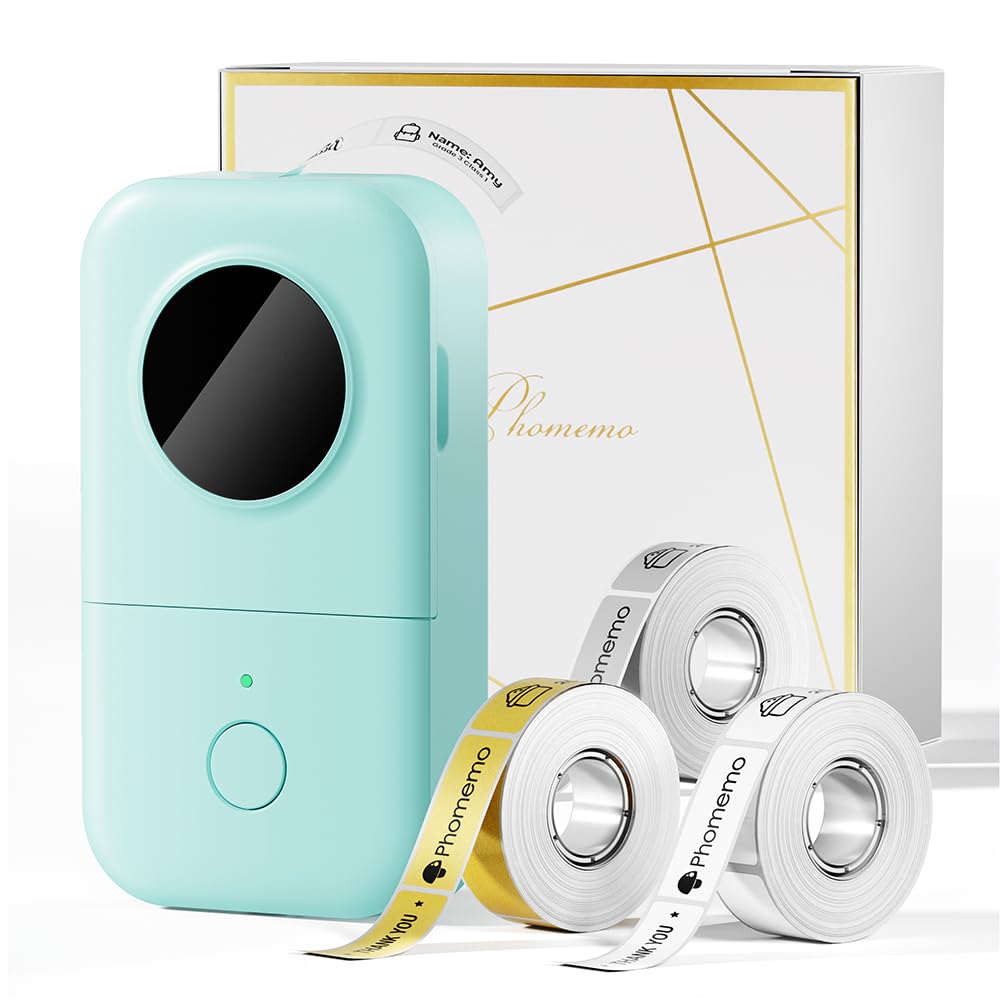
28,000+ ratings
Read Amazon ReviewsPhomemo D30 Label Maker with Tapes
The two options share the D30 model family, so the useful difference is the package and listed label formats.
Consider this version if the included tape variety and continuous or fixed-length options match your needs; compare the package contents carefully before choosing.
- This D30 package description specifies three included tapes—white, gold, and clear—and says it supports continuous and fixed-length labels.
- Its listed app tools include templates, symbols, frames, and barcode and QR code creation.
- The Phomemo D30 review product is a compact Bluetooth printer with multiple supported tape widths and a rechargeable battery.
Is Phomemo D30 Worth It?
The Phomemo D30 is worth considering for home, school, and office organization when you want a small Bluetooth thermal printer with flexible phone-based design tools. Its portability, tape-width choices, and inkless printing suit regular small labeling jobs.
Check the Print Master app requirement, tape availability, and package details before buying. The adhesive may leave residue, so this is a better fit for labels intended to stay in place than for temporary marking.
Your review at a glance
1,000+ ratings
Read Amazon ReviewsPhomemo D30 Label Maker
A pocketable Bluetooth label maker for home, school, and office organization, with flexible design tools and several supported tape widths.
- Bluetooth connection supports label creation from a phone through the Print Master app; the product description specifically directs users to that app rather than the Phomemo app.
- Thermal printing produces monochrome output without ink, toner, or ribbons.
- The stated print resolution is 203 DPI.
- Supported tape widths are 6 mm, 12 mm, 14 mm, and 15 mm.