The Phomemo M120 Label Maker review is most relevant to people who want portable printing for everyday organization or small business labeling, with several label widths and app-based design tools.
Its thermal printing and phone or PC connections make it a flexible option for short, varied labeling tasks.
Phomemo M120 Review Summary
The quick verdict
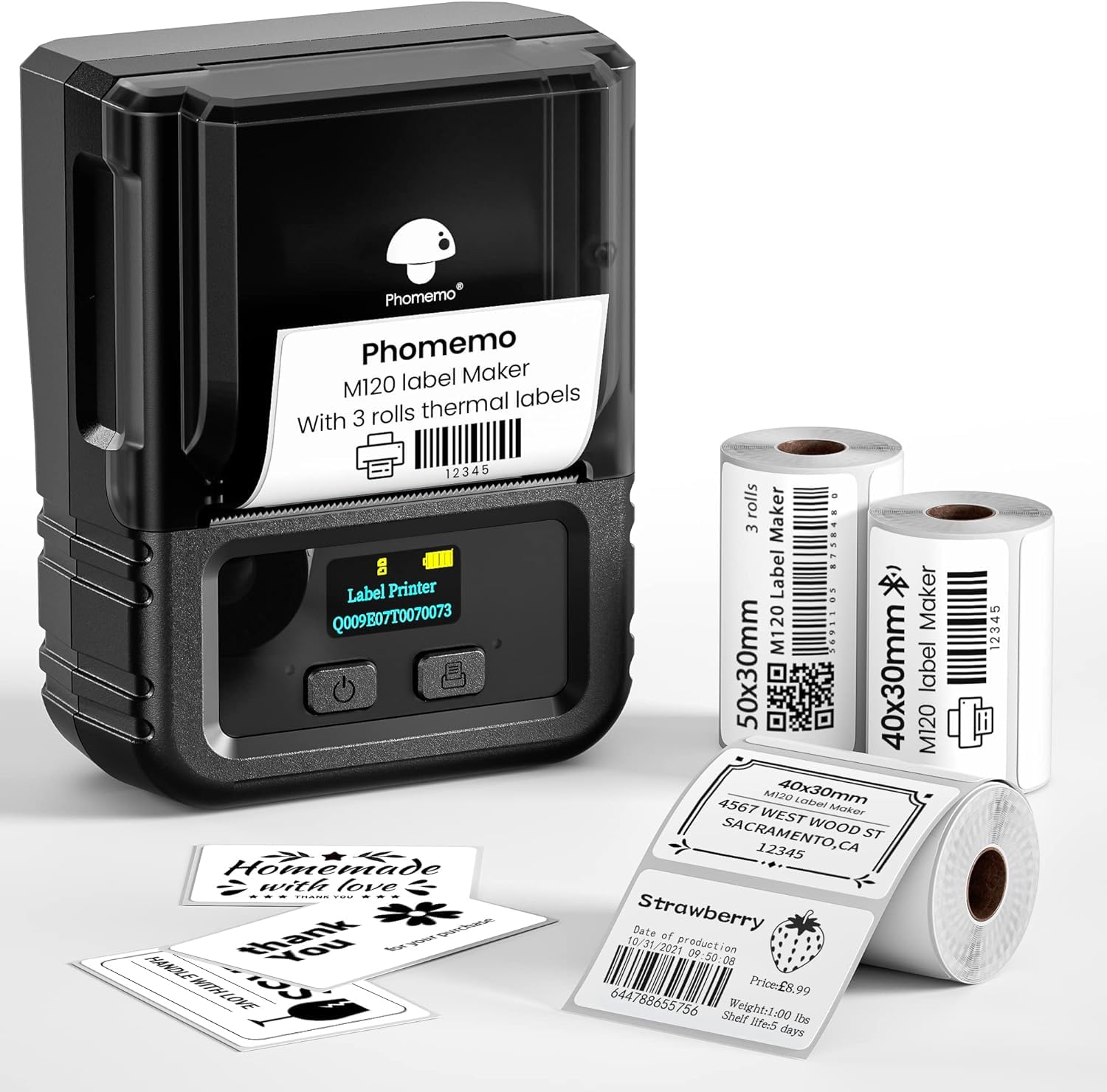
1,000+ ratings
Read Amazon ReviewsPhomemo M120 Label Maker
A compact thermal label printer for home organizers and small businesses that want flexible label sizes, app design tools, and phone or PC printing.
- Portable design weighs 200 g and is intended to fit in a pocket or backpack.
- Rechargeable battery is described as printing up to 3,000 labels per charge; an auto-sleep mode activates after five minutes of inactivity.
- Supports label widths from 20 to 50 mm with an adjustable paper slot and built-in sizing guide.
- The described package includes two 40 × 30 mm rolls and one 50 × 30 mm roll.

Pros
- Small, light form makes it convenient to carry between a home workspace, shop, or event.
- The 20–50 mm width range accommodates more than one compact label size.
Consider before buying
- The supported media is compact, 20–50 mm wide, so it is not a fit for full-size shipping labels.
- PC printing requires a USB connection and Labelife software, adding a separate setup step from mobile Bluetooth use.
Read the full review summary
The M120 combines a pocketable 200 g body with Bluetooth printing from iOS and Android devices and USB connection to a PC.
It supports label widths from 20 to 50 mm, and its adjustable paper slot and sizing guide are intended to make changing label stock more manageable.
Its strongest fit is a home workspace, craft table, or small business that regularly produces compact barcode, address, product, or storage labels.
The app’s templates, fonts, symbols, and recognition features can help with design and text entry, while the small label format and thermal media approach make it less suited to buyers who need larger shipping labels or color output.
The buying factors
Phomemo M120 Scorecard
Editorial scores reflect listed features and buyer fit; they are not laboratory measurements or customer ratings.
Portability
At 200 g, the printer is designed to travel in a pocket or bag, and the description gives a single-charge capacity of up to 3,000 labels.
Label-size flexibility
The adjustable slot supports 20–50 mm widths, covering a useful range of compact labels.
App design tools
The Print Master app lists OCR, voice recognition, and a large library of templates, symbols, and fonts.
Device compatibility
Bluetooth printing is available for iOS and Android, while PC printing uses USB and Labelife software.
Small-business usefulness
Barcode, QR code, address, and product-style labeling suit common compact business tasks.
Media flexibility
Three included rolls cover two listed sizes, while best performance is associated with Phomemo thermal labels.
Key Features and Specifications of Phomemo M120
- Portable design weighs 200 g and is intended to fit in a pocket or backpack.
- Rechargeable battery is described as printing up to 3,000 labels per charge; an auto-sleep mode activates after five minutes of inactivity.
- Supports label widths from 20 to 50 mm with an adjustable paper slot and built-in sizing guide.
- The described package includes two 40 × 30 mm rolls and one 50 × 30 mm roll.
- Print Master app offers voice and image recognition, barcode printing, and libraries of more than 7,900 symbols, 1,900 templates, and 550 fonts across 20+ languages.
- Connects to iOS and Android devices over Bluetooth; PC use is through USB and Labelife software.
- Direct thermal printing requires no ink, and the app can adjust print density and speed.
Pros and Cons of Phomemo M120
Pros
- Small, light form makes it convenient to carry between a home workspace, shop, or event.
- The 20–50 mm width range accommodates more than one compact label size.
- App tools include OCR-style recognition, voice input, and extensive template and font libraries.
- Phone Bluetooth and PC USB options support different working setups.
- Thermal printing avoids ink or toner purchases.
Consider before buying
- The supported media is compact, 20–50 mm wide, so it is not a fit for full-size shipping labels.
- PC printing requires a USB connection and Labelife software, adding a separate setup step from mobile Bluetooth use.
- For the intended print performance, the description recommends pairing it with Phomemo thermal labels; check refill availability and ongoing media cost for your usage.
Who Should Buy Phomemo M120?
Good fit
Consider the M120 if you frequently make small labels for jars, storage, food, addresses, products, or barcodes and want to print away from a fixed desk.
The two included label widths provide a practical starting point, and the adjustable slot is useful if your jobs vary between compact formats.
It also suits a small business that needs occasional batches of product or address labels.
Barcode printing, design templates, and text recognition can reduce repetitive setup, while the PC connection gives you a wired option when editing or printing from a computer is more convenient.
Before buying, match your regular label width to the 20–50 mm range and check which thermal rolls you plan to use.
If you expect frequent printing, consider whether the stated capacity of up to 3,000 labels per charge aligns with your workload.
Who should skip it
Choose another format if your routine depends on standard 4 × 6 inch shipping labels; the M120’s supported width range is much smaller.
Look elsewhere if you require color printing or want a PC workflow without a USB cable and separate Labelife software.
How the Phomemo M120 Fits Everyday Labeling
Compact labels for varied jobs
A 20–50 mm width range makes the M120 more adaptable than a printer restricted to one narrow label size.
The included 40 × 30 mm and 50 × 30 mm rolls point toward compact labels such as product tags, addresses, and household identifiers, rather than large parcel labels.
App tools and repeat work
The Print Master library and recognition options matter most when labels need more than plain text or when designs recur.
Templates, fonts, symbols, barcode support, voice input, and image recognition give users several ways to build a label; buyers who rely on specialized layouts should check that their preferred workflow is available in the app.
Choosing a connection method
Mobile printing uses Bluetooth, while PC printing uses USB with Labelife software.
That provides a path for both quick phone jobs and computer-based work, but the computer setup is a wired workflow, so it is worth confirming that the printer can sit close enough to the PC.
Thermal printing and supplies
Direct thermal printing removes the need for ink or toner, simplifying the printer’s consumables.
The printer is designed for thermal labels, and the description recommends Phomemo media for best performance; compare roll availability and cost against how often you expect to print.
Alternatives to Phomemo M120
Desktop Label Printers alternative
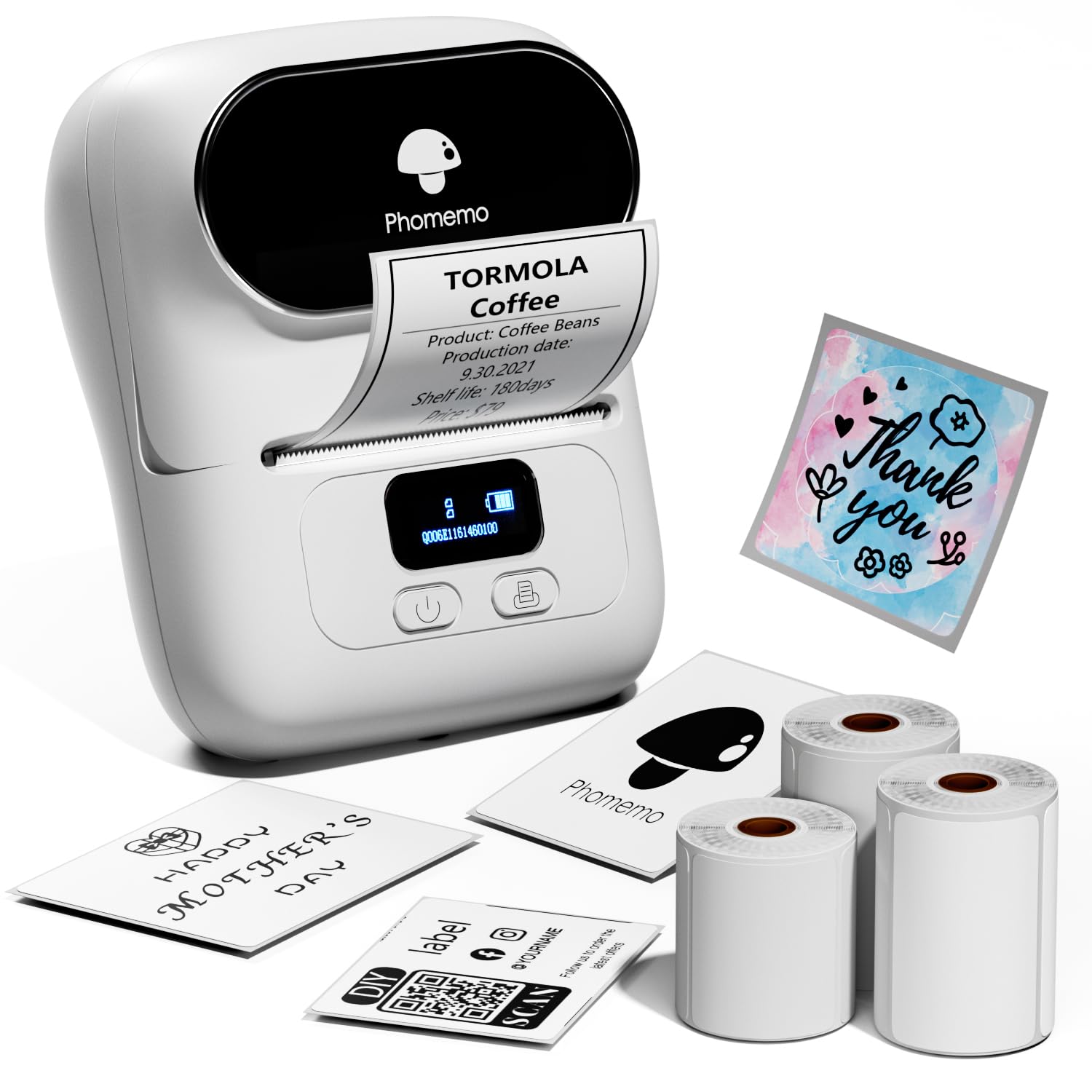
6,000+ ratings
Read Amazon ReviewsPhomemo M110 Label Maker
Consider the M110 if you want a wider included label-length option and primarily print from a phone. The M120 is the clearer fit when PC connectivity is part of your intended workflow.
- The M110 description also specifies a 20–50 mm width range and includes 40 × 30 mm, 50 × 30 mm, and 50 × 80 mm rolls; it lists Android and iOS compatibility.
- The M120 supports 20–50 mm widths, includes two compact roll sizes, and offers Bluetooth for phones plus USB for PC printing.
Desktop Label Printers alternative
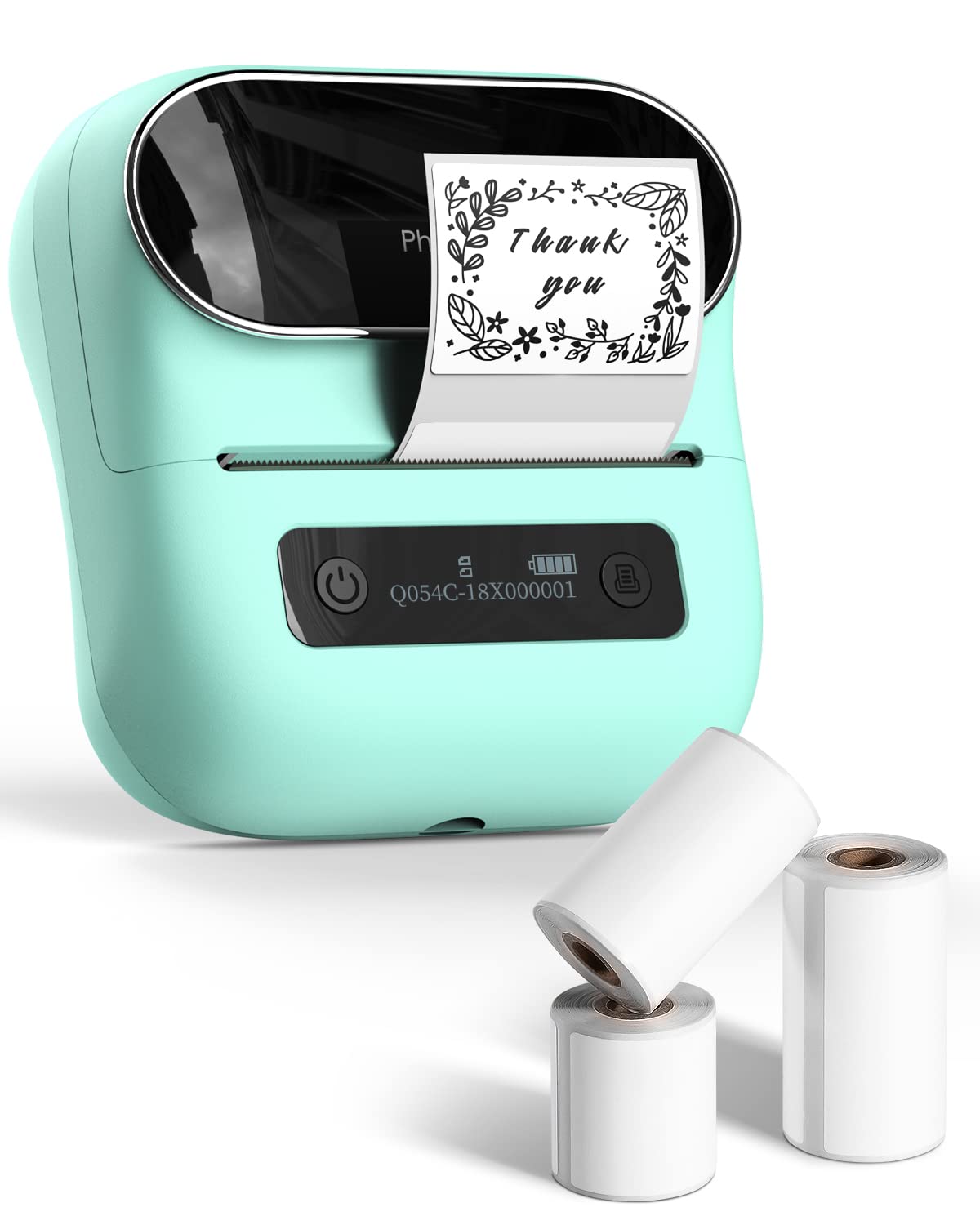
700+ ratings
Read Amazon ReviewsPhomemo M220 Label Maker
The M220 is worth comparing if you need a wider label format or expect longer runs between charges. The M120 is the more compact choice for small labels and a lightweight carry-around printer.
- The M220 supports label widths from 0.78 to 3.14 inches and offers Bluetooth for mobile devices and USB for computers; its description lists up to 36 rolls per charge.
- The M120 is a 200 g portable printer for labels 20–50 mm wide, with mobile Bluetooth and PC USB printing.
Is Phomemo M120 Worth It?
The Phomemo M120 Label Maker is worth considering for home organizers, crafters, and small businesses that need portable, ink-free printing on compact labels.
Its range of supported widths, app design tools, and phone or PC connections make it useful across varied short-run tasks.
Buy it if your usual labels fit within 20–50 mm and its thermal media works for your routine. Skip it for full-size shipping labels or a color-printing workflow, and check refill availability and PC setup requirements before choosing.
Your review at a glance
1,000+ ratings
Read Amazon ReviewsPhomemo M120 Label Maker
A compact thermal label printer for home organizers and small businesses that want flexible label sizes, app design tools, and phone or PC printing.
- Portable design weighs 200 g and is intended to fit in a pocket or backpack.
- Rechargeable battery is described as printing up to 3,000 labels per charge; an auto-sleep mode activates after five minutes of inactivity.
- Supports label widths from 20 to 50 mm with an adjustable paper slot and built-in sizing guide.
- The described package includes two 40 × 30 mm rolls and one 50 × 30 mm roll.